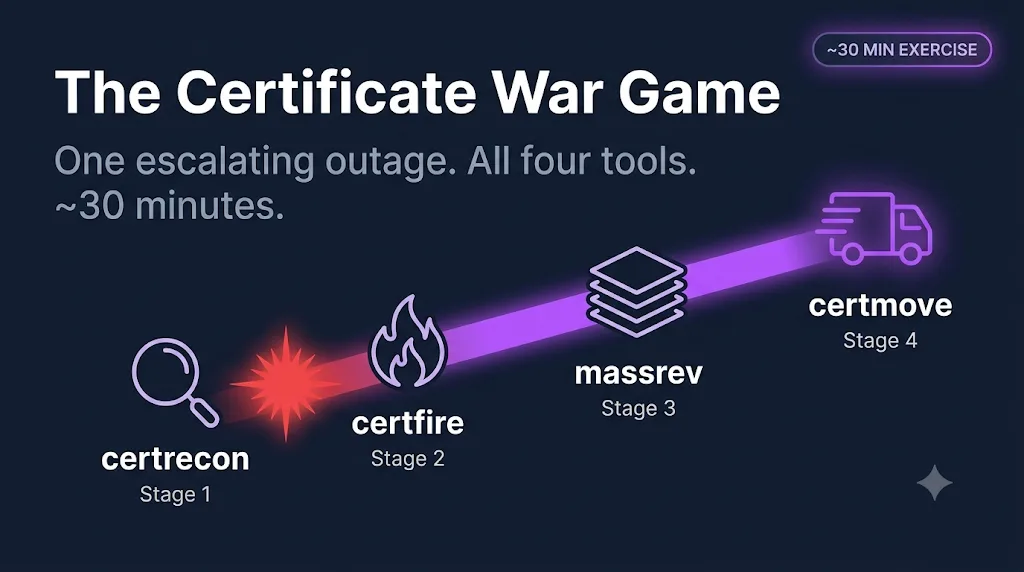
The Certificate War Game
One bad Tuesday, all four tools.
Work a realistic incident end to end in about 30 minutes — starting as a single certificate outage and escalating through discovery, mass revocation, and migration. You will see why these tools chain together instead of standing alone.
Setup
Pick a track — you can switch between them at any point in the exercise.
No setup required. Every stage below has a "Run it in your browser" tab that executes the real, open-source tool server-side and streams back the actual output. Just click Run when you get there.
Heads up: the tool folders in the repo are numbered by scenario, not by the order you'll hit them here — this exercise starts at 02-outage-response because real incidents don't wait for discovery. You'll build the inventory in Stage 3 (01-discovery), and after that you'll always have it before the next page.
The page goes off
It is 2:14am. Monitoring says a production endpoint is throwing certificate errors — in this exercise, played by expired.badssl.com. On-call just paged you.
The first 15 minutes decide the shape of this incident: a footnote in a status page, or a Sev-1 with an executive readout. Before you touch anything, name the cause.
Click Run to execute the real tool server-side and see its actual output. No install, no signup.
Stage the replacement
You have named the cause. Now stage the fix before you wake anyone else up.
certfire generates a fresh key and a CSR that preserves the original Subject and SANs, so nothing gets retyped from memory at 2am. It also writes a deployment checklist — the exact commands for your platform, ready to paste.
This step writes files to disk, so it runs in the "Do it for real" track only. Here is the expected output:
Staging replacement for expired.badssl.com:443 ...
  Generated key:   replacement/key.pem  (RSA-2048)
  Generated CSR:   replacement/req.csr  (CN=*.badssl.com, SAN preserved)
  Wrote checklist: replacement/CHECKLIST.md

Done. Hand req.csr to your CA or ACME client.
Widen the lens
The fix is staged. Now the post-incident question everyone asks: "is this the only one?"
You cannot answer that without an inventory. certrecon sweeps your estate and checks OCSP and CRL revocation status for every host — including the ones nobody thought to look at.
Click Run to execute the real tool server-side and see its actual output. No install, no signup.
It is bigger than you
Here is the escalation trigger: the same verdict shows up on multiple unrelated hosts. That is not a coincidence — it means a CA pulled trust on a batch, and your one outage is now a fleet-wide event.
massrev takes the inventory, intersects it with the affected CA, and turns panic into a burndown you can put on the war-room TV.
Click Run to execute the real tool server-side and see its actual output. No install, no signup.
The long fix
The fire is out and the burndown is complete. Now the strategic question: this CA burned you once, so the answer is migration.
certmove plans the move away from the compromised CA and — just as importantly — verifies it, endpoint by endpoint. The auditor will ask you to prove every one moved, not just tell them.
Click Run to execute the real tool server-side and see its actual output. No install, no signup.
Debrief
What you produced
- ›A diagnosis naming EXPIRED as the root cause (certfire)
- ›A staged replacement — new key, CSR, and deployment checklist (certfire)
- ›An inventory CSV covering every host, including the revoked one (certrecon)
- ›A prioritized burndown plan tracked against a CA deadline (massrev)
- ›A hash-chained evidence log proving every endpoint migrated (certmove)
Notice the chain: certrecon's inventory is the spine every other tool reads from. certfire staged one fix from it. massrev prioritized a fleet-wide burndown from it. certmove planned and proved a migration from it. None of the later tools would know where to look without the inventory that came first — that is the whole reason this toolkit is organized as a chain instead of four unrelated scripts.
The three escalation triggers
- 1.A single outage where the cause is EXPIRED, MISMATCH, or CHAIN_INCOMPLETE — work it as a normal incident with certfire.
- 2.The same verdict appears on multiple unrelated hosts — that is a signal to run a full sweep, not just fix the one that paged you.
- 3.A CA publishes an affected-serial list or a revocation deadline — that is the trigger to move from ad hoc fixes to a tracked burndown with massrev.
Get the toolkit and a heads-up when the next exercise drops
One email per release. New tools, new runbooks, new exercises.