Certified Pre-Owned Research
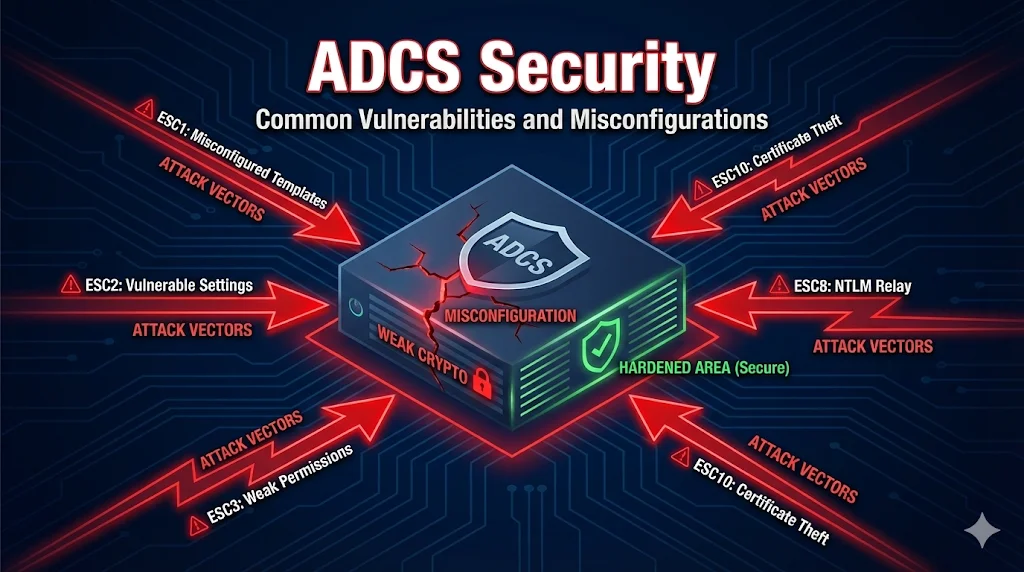
In 2021, SpecterOps researchers Will Schroeder and Lee Christensen published "Certified Pre-Owned", exposing how misconfigured ADCS environments can be exploited for domain privilege escalation.
Their research identified 8 primary attack vectors (ESC1-ESC8) that attackers use to escalate privileges in Active Directory environments. These attacks range from misconfigured certificate templates to NTLM relay attacks against CA web services.
Defensive Purposes Only: This content is provided to help security teams identify and remediate vulnerabilities in their ADCS deployments. Understanding these attacks is essential for building a secure PKI.
Overview of ESC Attacks
The following table summarizes the 8 primary ADCS attack vectors identified by SpecterOps:
| ID | Name | Risk | Exploitability |
|---|---|---|---|
| ESC1 | Misconfigured Certificate Templates | Critical | Easy |
| ESC2 | Misconfigured Certificate Templates (Any Purpose) | High | Easy |
| ESC3 | Enrollment Agent Templates | High | Medium |
| ESC4 | Vulnerable Certificate Template ACLs | High | Medium |
| ESC5 | Vulnerable PKI Object ACLs | High | Medium |
| ESC6 | EDITF_ATTRIBUTESUBJECTALTNAME2 | Critical | Easy |
| ESC7 | Vulnerable CA ACLs | High | Medium |
| ESC8 | NTLM Relay to Web Enrollment | Critical | Medium |
ESC1 - The Big One
Misconfigured Certificate Template Enrollment
ESC1 is the most commonly exploited ADCS vulnerability. It occurs when a certificate template allows low-privileged users to specify an arbitrary Subject Alternative Name (SAN), enabling them to request a certificate for any user - including Domain Admins.
Vulnerable Conditions
CT_FLAG_ENROLLEE_SUPPLIES_SUBJECTis enabled (Supply in request)- Manager approval is NOT required
- Low-privileged users have Enroll permissions
- Template allows Client Authentication EKU
Attack Steps
Detection Command
Find vulnerable templates with Certify.exe:
Certify.exe find /vulnerable
Fix
- Disable "Supply in the request" - use "Build from AD" instead
- Enable CA certificate manager approval
- Remove Enroll permissions from low-privileged groups
ESC6 - CA Configuration Vulnerability
EDITF_ATTRIBUTESUBJECTALTNAME2
When the EDITF_ATTRIBUTESUBJECTALTNAME2 flag is set on a CA, it allows ANY certificate request to include a SAN - even if the template doesn't allow it. This essentially turns every template into a vulnerable ESC1 template.
Check If Vulnerable
Run this command on the CA to check the flag:
certutil -getreg policy\EditFlags
If the output includes EDITF_ATTRIBUTESUBJECTALTNAME2, the CA is vulnerable.
Fix
Disable the flag with this command (requires CA restart):
certutil -setreg policy\EditFlags -EDITF_ATTRIBUTESUBJECTALTNAME2
net stop certsvc && net start certsvc
Warning: Some legacy applications may depend on this flag being enabled. Test in a non-production environment first.
ESC8 - NTLM Relay to Web Enrollment
NTLM Relay Attack
ESC8 exploits the Certificate Authority Web Enrollment service (certsrv). Attackers relay NTLM authentication from a domain computer to the web enrollment endpoint to obtain a certificate as that machine, then use it to authenticate.
Attack Flow
Vulnerable Conditions
- Web Enrollment (certsrv) is installed and accessible
- HTTP is enabled (NTLM relay requires non-HTTPS)
- EPA (Extended Protection for Authentication) is not enforced
Fixes
- Disable Web Enrollment if not needed (preferred)
- Enable HTTPS-only and disable HTTP binding
- Enable EPA (Extended Protection for Authentication) in IIS
- Enable "Require SSL" on the /certsrv virtual directory
Auditing Your ADCS
Several tools exist to audit your ADCS environment for these vulnerabilities:
Built-in certutil Commands
List all certificate templates:
certutil -v -template
View CA configuration:
certutil -getreg CA
List templates published on a CA:
certutil -CATemplates
Hardening Checklist
Use this checklist to secure your ADCS environment against ESC attacks:
Next Steps
Related Resources
Certificate Templates
Understand template settings that enable ESC attacks.
Template Permissions
Permission misconfigurations that lead to ESC vulnerabilities.
ADCS Architecture
Secure CA hierarchy and component design.
NDES Security
SCEP endpoint security and challenge password management.
CA Hierarchy Guide
Trust chains and offline root CA best practices.
Autoenrollment
Secure automatic certificate deployment configuration.