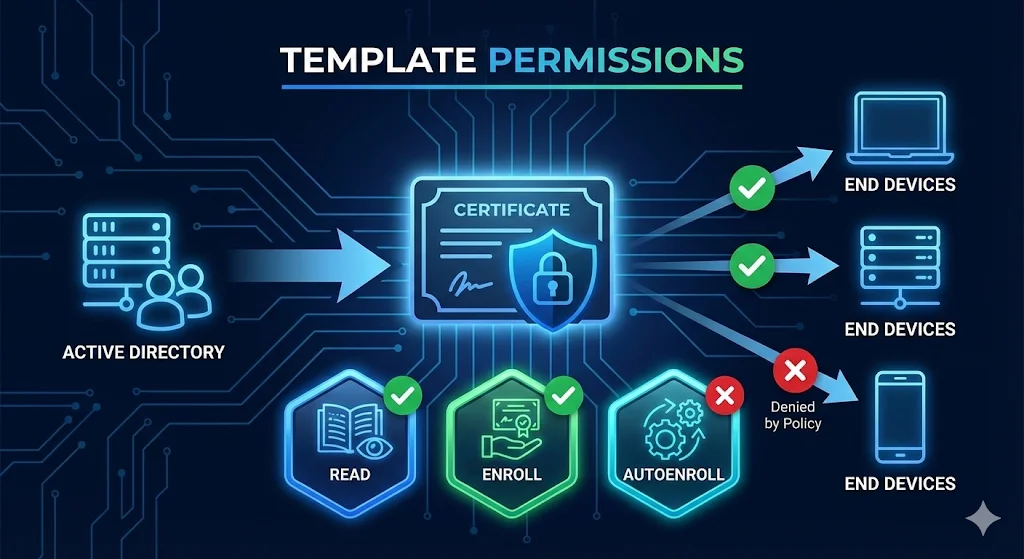
This guide breaks down how template permissions actually work—the inheritance, the gotchas, and how to troubleshoot when things don't work.
1. The Three Permission Types That Matter
| Permission | What It Does | Who Needs It |
|---|---|---|
| Read | Can see the template exists | Everyone who enrolls |
| Enroll | Can manually request a certificate | Users doing manual enrollment |
| Autoenroll | Can receive cert automatically via GPO | Users or computers for autoenrollment |
Critical Point
Autoenroll requires ALL THREE permissions: Read + Enroll + Autoenroll. Missing any one = silent failure.
2. Where Permissions Live
There are two places you must check. Both must allow the user or computer, or enrollment fails.
1. Template Security Tab
Certificate Templates Console
certtmpl.msc → Template → Properties → Security
- • This is where you set who can enroll
- • Per-template settings
2. CA Security
Certification Authority Console
certsrv.msc → CA → Properties → Security
- • Controls who can REQUEST from this CA
- • Need "Request Certificates" permission
- • Often overlooked!
3. Security Principals - Who Gets Permissions
| Principal | Use Case |
|---|---|
| Domain Users | All users can enroll (broad) |
| Domain Computers | All computers can enroll |
| Authenticated Users | Anyone authenticated (very broad) |
| Specific Security Group | Recommended - controlled access |
| Individual User or Computer | Possible but hard to manage |
Best Practice: Create Dedicated Groups
4. Permission Inheritance Explained
Templates don't inherit from a parent like file permissions. But group membership is evaluated, nested groups ARE followed, and Deny overrides Allow.
The Inheritance Trap
The Deny Trap
5. Effective Permissions - What Actually Applies
Method 1: Advanced Security Settings
- Certificate Templates Console (
certtmpl.msc) - Right-click template → Properties → Security
- Click "Advanced"
- Click "Effective Access" tab
- Select a user or computer
- View actual permissions
Method 2: PowerShell
# Get template permissions
$template = "WebServer"  # Template name
$configNC = (Get-ADRootDSE).configurationNamingContext
$templateDN = "CN=$template,CN=Certificate Templates,CN=Public Key Services,CN=Services,$configNC"

Get-Acl "AD:$templateDN" | Select-Object -ExpandProperty Access |
    Where-Object { $_.ActiveDirectoryRights -match "ExtendedRight" } |
    Format-Table IdentityReference, AccessControlType, ObjectType
Method 3: Test Enrollment
# Attempt enrollment and see what happens
certreq -submit -attrib "CertificateTemplate:WebServer" request.req
6. Common Misconfigurations
Misconfiguration 1: Autoenroll Without Enroll
Misconfiguration 2: Template Not Published
Misconfiguration 3: CA Request Permission Missing
Misconfiguration 4: Nested Group Not Evaluated
Misconfiguration 5: Domain Local Groups for Computers
Misconfiguration 6: Authenticated Users Removed
7. The Enrollment Permission Flow
When a user or computer requests a certificate, the system checks multiple permission gates. Understanding this flow helps you diagnose failures.
What Happens During Enrollment
8. Autoenrollment Troubleshooting
The Autoenrollment Checklist
Force Autoenrollment to Run
# User certificates
certutil -pulse

# Computer certificates (run as SYSTEM or restart)
gpupdate /force
Check Autoenrollment Events
Event Viewer → Applications and Services Logs →
  Microsoft → Windows → CertificateServicesClient-AutoEnrollment
9. PowerShell Permission Management
View Template Permissions
# List all permissions on a template
Import-Module ActiveDirectory
$templateName = "WebServer"
$configNC = (Get-ADRootDSE).configurationNamingContext
$templateDN = "CN=$templateName,CN=Certificate Templates,CN=Public Key Services,CN=Services,$configNC"

(Get-Acl "AD:$templateDN").Access |
    Select-Object IdentityReference, AccessControlType, ActiveDirectoryRights |
    Format-Table -AutoSize
Grant Enroll Permission
# Add Enroll permission for a group
$templateName = "WebServer"
$groupName = "PKI-Enroll-WebServers"
$configNC = (Get-ADRootDSE).configurationNamingContext
$templateDN = "CN=$templateName,CN=Certificate Templates,CN=Public Key Services,CN=Services,$configNC"

$acl = Get-Acl "AD:$templateDN"
$group = New-Object System.Security.Principal.NTAccount($groupName)
$enrollGuid = [Guid]"0e10c968-78fb-11d2-90d4-00c04f79dc55"  # Enroll extended right

$ace = New-Object System.DirectoryServices.ActiveDirectoryAccessRule(
    $group,
    "ExtendedRight",
    "Allow",
    $enrollGuid
)
$acl.AddAccessRule($ace)
Set-Acl "AD:$templateDN" $acl
Grant Autoenroll Permission
# Add Autoenroll permission
$autoenrollGuid = [Guid]"a05b8cc2-17bc-4802-a710-e7c15ab866a2"  # Autoenroll extended right

$ace = New-Object System.DirectoryServices.ActiveDirectoryAccessRule(
    $group,
    "ExtendedRight",
    "Allow",
    $autoenrollGuid
)
$acl.AddAccessRule($ace)
Set-Acl "AD:$templateDN" $acl
10. Security Considerations (ESC Connection)
Overly permissive templates are the root cause of ESC (escalation) attacks. Template permissions are a critical security control.
| Risk | Permission Problem |
|---|---|
| ESC1 | Any user can enroll + supply arbitrary SAN |
| ESC2 | Any user can enroll + dangerous EKU |
| ESC3 | Enrollment agent permissions too broad |
| ESC4 | Users can modify template permissions |
Permission Hardening Checklist
11. Quick Reference
Permission Requirements by Scenario
| Scenario | Read | Enroll | Autoenroll | CA Request |
|---|---|---|---|---|
| Manual enrollment (GUI) | ✓ | ✓ | - | ✓ |
| Manual enrollment (certreq) | ✓ | ✓ | - | ✓ |
| Autoenrollment (GPO) | ✓ | ✓ | ✓ | ✓ |
| Web enrollment | ✓ | ✓ | - | ✓ |
| NDES or SCEP | ✓ | ✓ | - | ✓ |
Error Message Decoder
| Error | Likely Cause |
|---|---|
| "Template not found" | Missing Read permission or not published |
| "You do not have permission" | Missing Enroll permission on template |
| "Access denied" | Missing Enroll or CA Request permission |
| "Request denied by policy" | CA security or issuance requirements |
| "Template not supported by this CA" | Template not published to CA |
| Silent autoenroll failure | Missing any of: Read, Enroll, Autoenroll |
12. Frequently Asked Questions
Why does autoenrollment require both Enroll and Autoenroll permissions?
Autoenroll is an additional permission, not a replacement. It says "you can receive this automatically" but you still need basic Enroll permission to actually get the certificate.
I added permissions but enrollment still fails. Why?
Check: 1) Template is published to the CA, 2) User has "Request Certificates" on the CA itself, 3) No Deny permissions via group membership, 4) Run gpupdate /force and certutil -pulse.
Should I give Domain Users enroll permission?
Only for truly universal templates (like basic User cert). For anything else, use dedicated security groups. Over-permissioned templates are the #1 cause of ADCS security issues.
How can I see who currently has enrollment rights?
Use the PowerShell commands in section 9, or open certtmpl.msc, right-click the template, go to Properties → Security, and click Advanced to see all permission entries.
Related Resources
Certificate Templates
Template configuration and key settings explained.
Autoenrollment
GPO configuration for automatic certificate deployment.
ADCS Security
ESC attacks caused by permission misconfigurations.
ADCS Architecture
CA hierarchy and Enterprise vs Standalone CA.
NDES Guide
SCEP enrollment and service account permissions.
Certificate Lifecycle
Complete certificate management from issuance to renewal.