Quick Answer: What is Certificate Pinning?
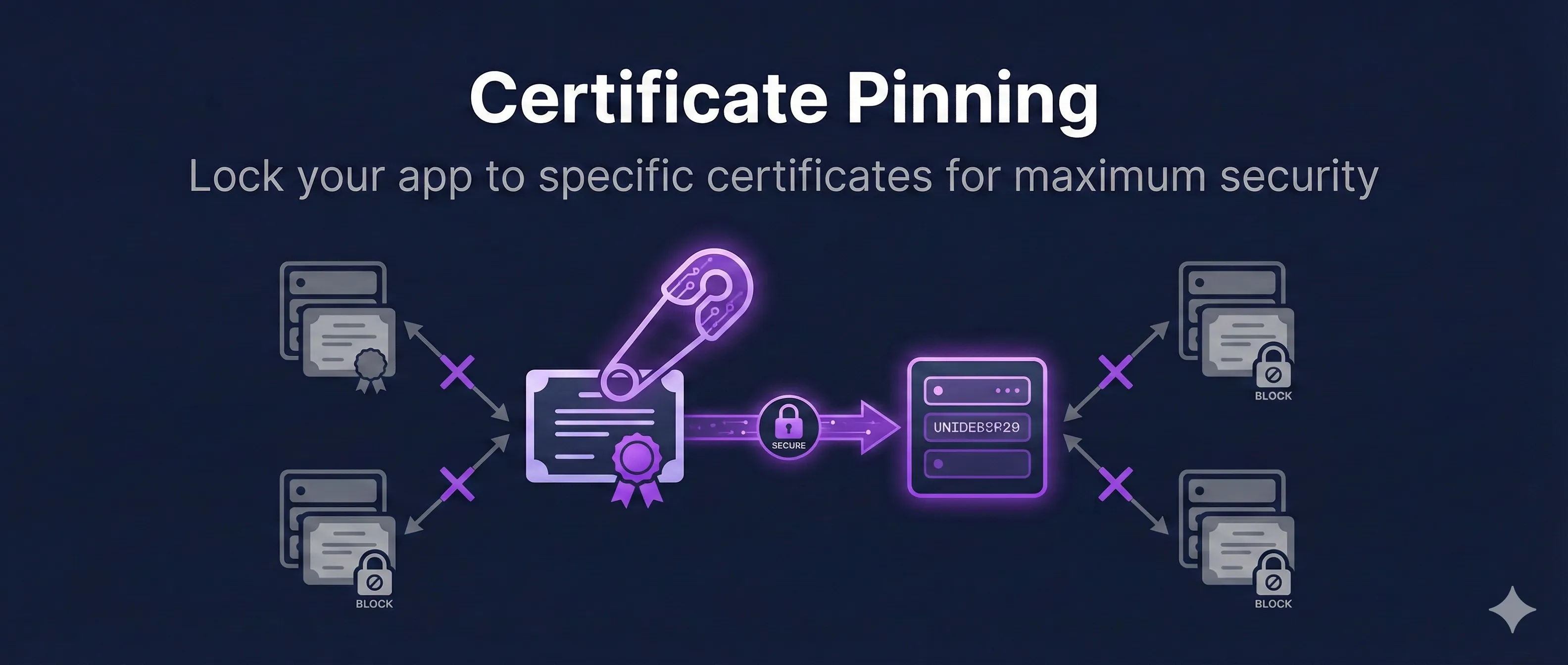
Certificate Pinning is a security technique where an application is hardcoded to only accept specific certificates or public keys, rather than trusting any certificate signed by a trusted CA.
Without Pinning
App trusts any certificate from ~150+ root CAs
With Pinning
App only trusts YOUR specific certificate/key
Even if an attacker compromises a trusted CA and issues a valid certificate for your domain, a pinned app will reject it because it's not the expected certificate.
Why Certificate Pinning Matters
The standard PKI trust model has a fundamental weakness: your browser or app trusts certificates from hundreds of root CAs. If any single CA is compromised, an attacker can issue certificates for any domain.
Threats Pinning Prevents
1. Compromised Certificate Authorities
If a CA is hacked (DigiNotar, CNNIC incidents), attackers can issue valid certificates for your domain. Pinning blocks these even though they're "valid."
2. Government/Corporate MITM
Some networks install their own CA to intercept traffic. Pinning prevents this interception for your specific app.
3. Rogue Certificates
CAs occasionally mis-issue certificates. Certificate Transparency helps detect these, but pinning prevents them from working against your app immediately.
4. Local Malware
Malware that installs a root CA to intercept traffic won't be able to intercept connections from a pinned app.
Who Uses Pinning?
Banking apps, payment apps (PayPal, Stripe SDKs), secure messaging (Signal, WhatsApp), and any app handling sensitive data where MITM attacks could be catastrophic.
Types of Certificate Pinning
1. Leaf Certificate Pinning
Pin the exact certificate used by your server.
2. Public Key Pinning (Recommended)
Pin the public key (SPKI hash), not the certificate. Survives certificate renewal if you reuse the same key pair.
3. Intermediate CA Pinning
Pin the intermediate CA that signs your certificates. Less restrictive but still limits attack surface.
4. Root CA Pinning
Pin the root CA. Least restrictive—any certificate from that root is accepted.
Get Public Key Hash (SPKI)
# Extract SPKI hash from certificate
openssl x509 -in certificate.crt -pubkey -noout | \
  openssl pkey -pubin -outform der | \
  openssl dgst -sha256 -binary | \
  openssl enc -base64

# From a live server
echo | openssl s_client -connect example.com:443 2>/dev/null | \
  openssl x509 -pubkey -noout | \
  openssl pkey -pubin -outform der | \
  openssl dgst -sha256 -binary | \
  openssl enc -base64

# Output: "BBBBBBBBBBBBBBBBBBBBBBBBBBBBBBBBBBBBBBBBBBB="
Implementing Certificate Pinning
iOS (Swift)
import Foundation
import Security

class PinningDelegate: NSObject, URLSessionDelegate {
    let pinnedKeyHash = "BBBBBBBBBBBBBBBBBBBBBBBBBBBBBBBBBBBBBBBBBBB="

    func urlSession(_ session: URLSession,
                    didReceive challenge: URLAuthenticationChallenge,
                    completionHandler: @escaping (URLSession.AuthChallengeDisposition, URLCredential?) -> Void) {

        guard let serverTrust = challenge.protectionSpace.serverTrust,
              let certificate = SecTrustGetCertificateAtIndex(serverTrust, 0) else {
            completionHandler(.cancelAuthenticationChallenge, nil)
            return
        }

        // Extract public key and compute hash
        let publicKey = SecCertificateCopyKey(certificate)!
        let publicKeyData = SecKeyCopyExternalRepresentation(publicKey, nil)! as Data
        let hash = SHA256.hash(data: publicKeyData)
        let hashString = Data(hash).base64EncodedString()

        if hashString == pinnedKeyHash {
            completionHandler(.useCredential, URLCredential(trust: serverTrust))
        } else {
            completionHandler(.cancelAuthenticationChallenge, nil)
        }
    }
}
Android (Kotlin with OkHttp)
import okhttp3.CertificatePinner
import okhttp3.OkHttpClient

val certificatePinner = CertificatePinner.Builder()
    .add("api.example.com", "sha256/BBBBBBBBBBBBBBBBBBBBBBBBBBBBBBBBBBBBBBBBBBB=")
    .add("api.example.com", "sha256/BACKUP_PIN_HASH_HERE=") // Backup pin
    .build()

val client = OkHttpClient.Builder()
    .certificatePinner(certificatePinner)
    .build()

// OkHttp will reject connections if certificate doesn't match pins
React Native (with react-native-ssl-pinning)
import { fetch } from 'react-native-ssl-pinning';

const response = await fetch('https://api.example.com/data', {
  method: 'GET',
  sslPinning: {
    certs: ['my_cert'], // .cer file in assets
  },
  headers: {
    'Accept': 'application/json',
  },
});
Node.js
const https = require('https');
const crypto = require('crypto');

const expectedPin = 'BBBBBBBBBBBBBBBBBBBBBBBBBBBBBBBBBBBBBBBBBBB=';

const options = {
  hostname: 'api.example.com',
  port: 443,
  path: '/data',
  method: 'GET',
  checkServerIdentity: (host, cert) => {
    // Extract public key and hash it
    const pubkey = cert.pubkey;
    const hash = crypto.createHash('sha256')
      .update(pubkey)
      .digest('base64');

    if (hash !== expectedPin) {
      throw new Error('Certificate pin mismatch!');
    }
  }
};

https.get(options, (res) => {
  // Handle response
});
Risks and Challenges
1. Bricking Your App
If you lose access to the pinned key or certificate (key compromise, CA change, certificate expiration), your app becomes completely non-functional. Users can't connect at all.
Mitigation: Always include backup pins for a different key/CA.
2. Certificate Rotation Failures
When renewing certificates, if you don't use the same key (or update pins before rotation), existing app versions break.
Mitigation: Use public key pinning with key reuse, or push new pins before rotating.
3. Debugging Difficulties
Pinning makes it hard to debug with proxy tools (Charles, Fiddler, Burp). Development builds need pinning disabled or test pins.
Mitigation: Use build configurations to disable pinning in debug builds.
4. CDN and Load Balancer Challenges
If your CDN or load balancer uses different certificates than your origin, pinning becomes complex. You may need to pin the CDN's certificate.
Pinning Best Practices
- 1.Always have backup pins - Include at least 2 pins: your current certificate and a backup key stored securely offline.
- 2.Pin public keys, not certificates - Public key pins survive certificate renewal if you reuse the same key pair.
- 3.Test pin rotation before production - Verify your rotation procedure works before you need it in an emergency.
- 4.Include expiration awareness - Monitor certificate expiration and update app before rotation is needed.
- 5.Fail securely - When pin validation fails, refuse the connection entirely. Don't fall back to unpinned.
- 6.Consider a kill switch - For apps with forced updates, you can remotely disable pinning in emergencies (but this weakens security).
// Example: Multiple backup pins in OkHttp
val certificatePinner = CertificatePinner.Builder()
    // Current production key
    .add("api.example.com", "sha256/CURRENT_KEY_HASH=")
    // Backup key (stored offline, never used unless needed)
    .add("api.example.com", "sha256/BACKUP_KEY_1_HASH=")
    // Different CA backup (in case you need to switch CAs)
    .add("api.example.com", "sha256/BACKUP_CA_KEY_HASH=")
    .build()
Why HPKP Was Deprecated
HTTP Public Key Pinning (HPKP) was a browser-based pinning mechanism that's now deprecated. Understanding why helps explain the risks of pinning.
HPKP Problems:
- • Site Bricking: Misconfigured HPKP could make a site completely inaccessible for the pin's max-age (up to years)
- • HPKP Supercookies: Attackers could use HPKP to track users across sites
- • Ransomware: Attackers who briefly compromised a site could set malicious pins, then demand ransom for the keys
- • Low Adoption: Too risky and complex for most sites
What Replaced HPKP?
Certificate Transparency (CT) provides similar security benefits without the bricking risk. CT makes mis-issued certificates detectable, while Expect-CT headers enforce CT checking. App-level pinning (as described in this guide) remains valid for mobile and native applications.
Frequently Asked Questions
Should I use certificate pinning in my app?
Only if you handle highly sensitive data (banking, healthcare, payments) AND have the operational maturity to manage pin rotation. For most apps, standard TLS with Certificate Transparency is sufficient.
Can pinning be bypassed?
On a rooted/jailbroken device, yes. Tools like Frida and objection can hook the pinning validation. Pinning protects against network attacks, not a compromised device.
What if my CA changes their intermediate?
If you pinned the intermediate and your CA rotates it, your app breaks. That's why public key pinning (your server's key) or including backup pins is critical.
How do I update pins in a deployed app?
You must release an app update with new pins before rotating certificates. Some apps use a "trust on first use" approach where pins are fetched dynamically, but this has its own security trade-offs.
Does pinning work with Let's Encrypt's 90-day certs?
Yes, if you pin the public key and reuse the same key when renewing. Certbot's --reuse-key flag preserves the key across renewals. Don't pin the certificate itself with short-lived certs.
Related Resources
Mutual TLS (mTLS)
Implement two-way certificate authentication for zero-trust architectures.
Certificate Anatomy
Understand certificate structure to know what you're pinning to.
HSTS Configuration
Force HTTPS connections and prevent downgrade attacks.
How TLS Works
Complete guide to TLS encryption, authentication, and integrity.
CA Hierarchy Design
Understand CA structure to make informed pinning decisions.
Ready to See Certificate Pinning in Action?
Our interactive demo shows how pinning validates certificates against stored hashes, and what happens when a mismatched certificate is presented.
Launch Interactive Demo