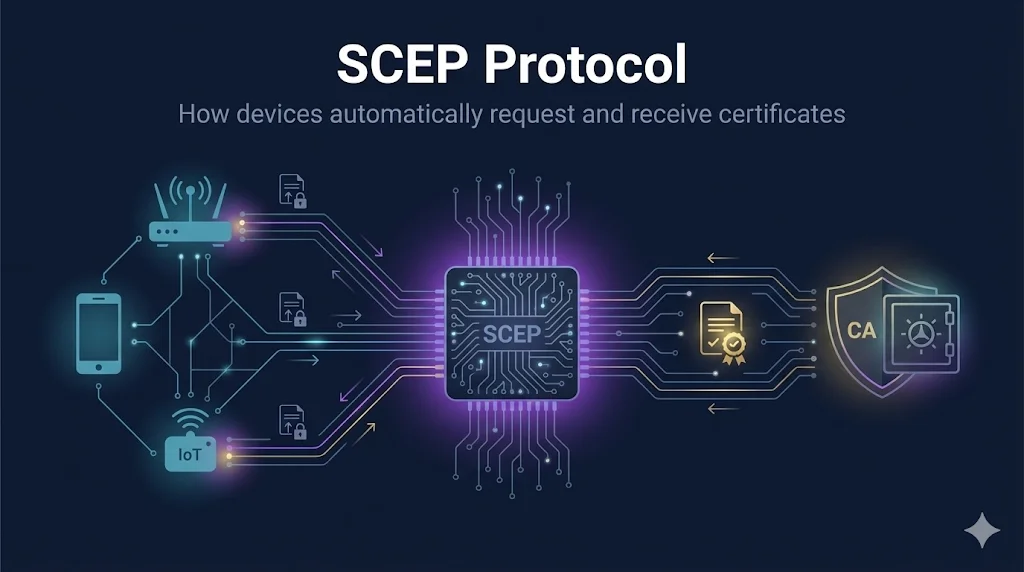
What is SCEP?
SCEP (Simple Certificate Enrollment Protocol) is a protocol that allows devices to automatically request, receive, and renew X.509 certificates from a Certificate Authority. Originally developed by Cisco in the late 1990s, it became the de facto standard for automated certificate enrollment in network equipment and mobile device management (MDM).
Why SCEP Matters
Without automated enrollment, administrators would need to manually generate and install certificates on every device - impossible at enterprise scale with thousands of endpoints.
The Enrollment Flow
SCEP enrollment happens in a series of HTTP-based message exchanges between the device and the SCEP server:
SCEP Certificate Enrollment Flow
Step-by-Step Breakdown
1. GetCACaps - Discover Capabilities
Device sends an HTTP GET request to discover what algorithms, key sizes, and features the SCEP server supports. Response includes capabilities like AES, SHA-256, and renewal support.
2. GetCACert - Establish Trust
Device downloads the CA certificate. This is crucial - the device needs the CA's public key to encrypt its enrollment request and verify the response signature.
3. PKCSReq - The Main Event
Device generates a key pair locally, creates a CSR, encrypts it with the CA's public key, signs the request with its own private key, and includes the challenge password. This is sent as a PKCS#7 envelope.
4. Pending (Optional) - Manual Approval
If manual approval is required, the server returns a "pending" status. The device then polls using CertPoll until an administrator approves the request.
5. CertRep - Certificate Delivery
The CA signs the certificate, and the SCEP server returns it encrypted for the device. The device decrypts using its private key and installs the certificate.
SCEP Message Types
| Message | Direction | Purpose |
|---|---|---|
GetCACaps | Device → Server | Query server capabilities and supported algorithms |
GetCACert | Device → Server | Download CA certificate to establish trust |
PKCSReq | Device → Server | Submit certificate enrollment request (CSR) |
CertPoll | Device → Server | Check status of pending enrollment request |
GetCert | Device → Server | Retrieve previously issued certificate |
CertRep | Server → Device | Certificate response (success, fail, or pending) |
Challenge Passwords
Challenge passwords are the primary authentication mechanism in SCEP. They prevent unauthorized devices from enrolling:
Administrator creates a challenge password in the SCEP server, often with an expiration time.
Password is given to the device - manually, via MDM profile, or through configuration management.
Device includes the challenge password in its encrypted enrollment request as proof of authorization.
SCEP server validates the password before issuing the certificate. Invalid passwords are rejected.
Security Tip: Use One-Time Passwords
Configure your SCEP server to generate unique, one-time challenge passwords for each device. Shared or reusable passwords are a security risk - if leaked, anyone can enroll unauthorized devices.
Real-World Use Cases
Mobile Device Management
Microsoft Intune, Jamf Pro, VMware Workspace ONE use SCEP to automatically provision device certificates for WiFi, VPN, and email authentication.
Network Equipment
Cisco routers and switches, Palo Alto firewalls, and Juniper devices use SCEP for automated certificate enrollment.
IoT and Industrial
Manufacturing sensors, building automation controllers, and smart devices use SCEP for secure identity at scale.
802.1X / Enterprise WiFi
Devices enroll for certificates used in EAP-TLS authentication for secure wireless network access.
Common Implementations
Security Considerations
Challenge Password Security
If challenge passwords are shared, leaked, or reused, unauthorized devices can enroll. Use one-time passwords with short expiration times.
No Built-in Renewal
SCEP doesn't have a standard renewal mechanism. Devices typically must re-enroll with a new challenge password before certificates expire.
HTTP Transport
SCEP uses HTTP by default. While the payload is encrypted, metadata is visible. Deploy SCEP servers behind an HTTPS reverse proxy.
Best Practice: Audit Logs
Monitor enrollment logs for unusual patterns - multiple enrollments from same IP, failed challenge passwords, or enrollments outside business hours.
SCEP vs EST
EST (Enrollment over Secure Transport) is the modern successor to SCEP, designed to address its security limitations:
| Feature | SCEP | EST |
|---|---|---|
| Transport Security | HTTP (payload encrypted) | HTTPS/TLS required |
| Authentication | Challenge passwords | TLS client certificates |
| Renewal | Not standardized | Built-in support |
| Device Support | Excellent (legacy) | Growing |
Recommendation
For new deployments where device compatibility allows, consider EST over SCEP. For legacy network equipment or MDM platforms that only support SCEP, implement the security best practices above.
Frequently Asked Questions
How do devices know the SCEP server URL?
It's typically configured manually, pushed via MDM profile, or set through device provisioning. Some environments use DNS service discovery.
Can SCEP be used without challenge passwords?
Some implementations support automatic approval based on other factors (IP range, device identity), but this reduces security. Challenge passwords are recommended.
What happens if a device loses its certificate?
The device must re-enroll using a new challenge password. Unlike renewal, this typically requires administrator intervention to generate a new password.
Is SCEP still relevant with ACME/Let's Encrypt?
Yes - ACME is designed for web servers with domain validation. SCEP is for devices that need identity certificates (routers, managed endpoints) where domain validation isn't applicable.
Related Resources
Windows ADCS Guide
Deploy SCEP with Active Directory Certificate Services.
ACME Protocol
Compare SCEP with the modern ACME protocol for certificate automation.
Certificate Lifecycle
Manage certificates from enrollment through renewal and revocation.
CA Hierarchy Design
Design the CA infrastructure that backs your SCEP deployment.
Mutual TLS (mTLS)
Use SCEP-issued certificates for mutual TLS authentication.
Try the Interactive Demo
Watch the SCEP enrollment flow in action with our animated step-through visualization.