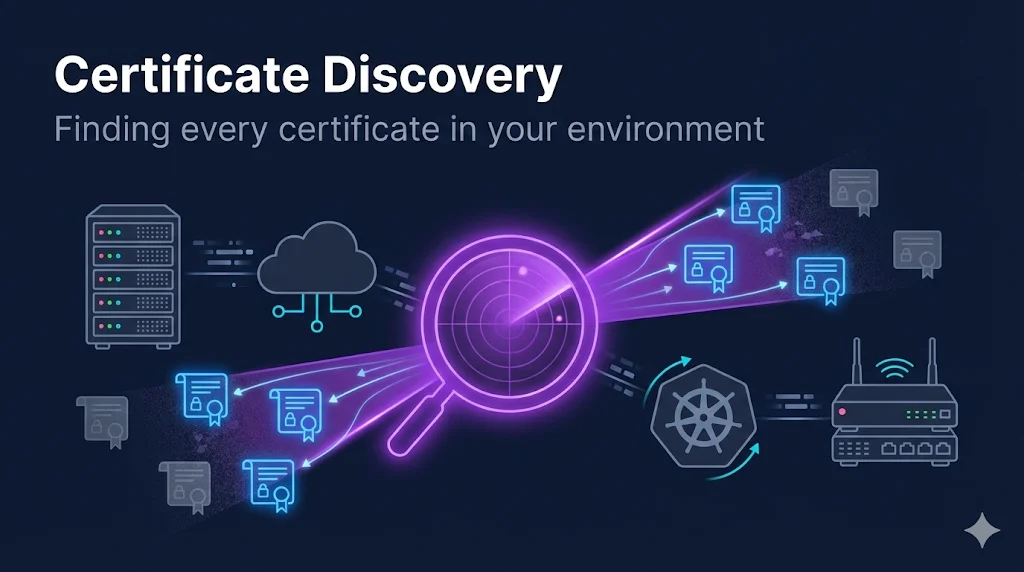
What is Certificate Discovery?
Certificate discovery is the process of automatically finding all SSL/TLS certificates, SSH keys, and other cryptographic assets across your infrastructure.
Why It Matters
Most organizations drastically undercount their certificates:
| What Teams Think | Reality |
|---|---|
| "We have about 500 certificates" | Discovery finds 5,000+ |
| "All our certs are in the load balancer" | Certs in 47 different locations |
| "Everything is tracked in our spreadsheet" | 60% of assets not documented |
| "We'd know if something expired" | Surprise outage at 2 AM |
Where Certificates Hide
Visible (What You Know)
- Production servers
- Load balancers
- Main web properties
Hidden (What You Forgot)
- Dev/test environments
- Developer cloud instances
- Network devices (routers, switches)
- IoT devices
- Containers/Kubernetes
- Legacy systems
Discovery Methods
Four primary methods exist for finding certificates in your environment:
Method 1: Network Discovery (Agentless Scanning)
How It Works:
- 1Discovery server scans IP ranges and ports
- 2Sends SSL/TLS connection requests
- 3If server responds, retrieves certificate
- 4Logs certificate details (CN, expiration, issuer, location)
Best For
- • Initial inventory of unknown certs
- • DMZ and external-facing servers
- • Network devices (F5, routers)
Limitations
- • Can't see certs not served on a port
- • May miss certs behind firewalls
- • Doesn't find local stores (CAPI, JKS)
Method 2: Onboard Discovery (Agent-Based)
How It Works:
- 1Agent installed on target servers
- 2Agent scans local certificate stores
- 3Reports findings to central platform
- 4Continuous monitoring for changes
What It Finds:
Best For
- • Finding certs in local stores
- • Servers behind firewalls
- • Continuous monitoring
Limitations
- • Requires agent deployment
- • More infrastructure to manage
- • May require elevated permissions
Method 3: Kubernetes Discovery
How It Works:
- 1Integration with Kubernetes API
- 2Scans Secrets, ConfigMaps, cert-manager resources
- 3Identifies TLS certificates in namespaces
- 4Tracks lifecycle with pod deployments
What It Finds:
Method 4: CA Integration (Import)
How It Works:
- 1Direct connection to Certificate Authorities
- 2Pulls issued certificate inventory from CA
- 3Imports into central platform
- 4Syncs periodically for new issuances
Supported CAs:
Method Comparison
| Method | Best For | Finds | Misses | Effort |
|---|---|---|---|---|
| Network Scan | Quick inventory | Active SSL endpoints | Local stores, unserved | Low |
| Agent (Onboard) | Complete inventory | Local stores, all files | Requires deployment | Medium |
| Kubernetes | Cloud-native | K8s secrets, cert-manager | Image-embedded certs | Medium |
| CA Import | Issued cert tracking | All CA-issued certs | Deployment location | Low |
💡 Recommendation
Use multiple methods. Network scan for quick wins, agents for complete coverage, CA import for compliance.
What Discovery Actually Finds
Certificate Information Captured
| Field | What It Tells You |
|---|---|
| Common Name (CN) | Primary identity |
| Subject Alternative Names | All valid hostnames |
| Issuer | Who issued it |
| Expiration Date | When it dies |
| Serial Number | Unique identifier |
| Key Algorithm | RSA/ECC, key size |
| Signature Algorithm | SHA-256, etc. |
| Chain Status | Valid, incomplete, untrusted |
| Location | IP, port, hostname, path |
Risk Indicators Flagged
- Expiring soon (30/60/90 days)
- Expired
- Self-signed
- Weak algorithms (SHA-1, 1024-bit RSA)
- Unknown or untrusted issuer
- Duplicate certificates
Placement Rules
Discovery finds thousands of certificates. Placement rules automatically organize them based on criteria you specify:
| Rule Type | Example |
|---|---|
| IP Range | 10.1.0.0/16 → Production folder |
| Hostname Pattern | *.dev.company.com → Development folder |
| Issuer | DigiCert → External Certs folder |
| Key Algorithm | ECC → Modern Certs folder |
| Expiration | <30 days → Critical folder |
Best Practice
Create an "Unassigned" folder for certificates matching no rules. Review periodically to refine placement.
DIY Discovery (Without CLM)
Don't have a CLM platform? You can still discover certificates:
OpenSSL Network Scan
# Scan a single host
openssl s_client -connect example.com:443 </dev/null 2>/dev/null | \
  openssl x509 -noout -subject -dates -issuer

# Scan IP range with nmap + ssl-cert script
nmap -p 443 --script ssl-cert 192.168.1.0/24
Other DIY Options
Certificate Transparency Logs
Search crt.sh for certificates issued to your domains.
Cloud Provider Tools
AWS ACM, Azure Key Vault, GCP Certificate Manager inventories.
Open Source Scanners
ssl-scan, testssl.sh, Cert Spotter
Limitations
Manual, point-in-time, no central inventory, no automation.
Building a Discovery Program
1Phase 1: Initial Discovery (Week 1-2)
- Run network scan on known IP ranges
- Focus on DMZ and public-facing first
- Document what you find (prepare for surprises)
- Identify critical certificates
2Phase 2: Expand Coverage (Week 3-4)
- Add internal network ranges
- Deploy agents to key servers
- Connect to primary CAs
- Create initial placement rules
3Phase 3: Continuous Discovery (Ongoing)
- Schedule regular scans (daily/weekly)
- Monitor for new certificates
- Alert on expiring/risky certificates
- Refine placement rules
Key Metrics to Track
Common Challenges
Challenge: Firewall Blocking Scans
Symptom: Discovery returns empty results for known certificates
Solution: Add discovery server to allowlist, use agent-based discovery behind firewalls, deploy discovery servers in each network zone.
Challenge: Too Many Duplicates
Symptom: Same certificate appears multiple times
Solution: Configure duplicate handling rules, use certificate fingerprint for deduplication, review placement rules to consolidate.
Challenge: Kubernetes Certificates Not Found
Symptom: K8s certs missing from inventory
Solution: Configure Kubernetes API integration, ensure proper RBAC permissions, include cert-manager Custom Resources in scan.
Challenge: Self-Signed Certificates Everywhere
Symptom: Discovery finds hundreds of certificates with unknown issuers
Solution: Create a placement rule for self-signed certs. Triage by environment — dev/test self-signed certs are usually acceptable noise, but production self-signed certs need replacement or documentation with business justification.
This is the #1 discovery headache. Self-signed certs in dev/test create massive noise in results.
Frequently Asked Questions
How long does a full discovery take?
Network scans: hours to days depending on IP range size. Agent discovery: near-instant for local stores. Expect 10,000-50,000 certificates per hour for network scanning.
Will discovery disrupt production systems?
Network discovery makes standard TLS connections — no different than a user visiting a website. Agent discovery reads local stores without modification. Neither should impact production.
How often should discovery run?
Initial: Run once to establish baseline. Ongoing: Daily for critical environments, weekly for others. After changes: Trigger discovery after major deployments.
Does discovery find expired certificates?
Yes. Expired certificates are still served (just untrusted). Discovery flags them for remediation.
Learn More
FixMyCert Venafi Series:
Related FixMyCert Content:
External Tools:
Related Resources
NMAP Certificate Reconnaissance
Turn 12-hour discovery scans into 30-minute jobs with pre-discovery network reconnaissance.
Agent vs Agentless CLM
The architectural decision that shapes your entire CLM deployment. Compare trade-offs and patterns.
The Venafi Series
Machine identity management explained — practical, vendor-neutral guides for enterprise CLM.
Certificate Lifecycle Guide
From request to revocation — understand every stage of certificate management.
OpenSSL s_client Guide
Master the essential tool for testing SSL/TLS connections and inspecting certificates.