Quick Answer: Generate a Private Key
The fastest way to generate a private key with OpenSSL:
# Generate 2048-bit RSA key (most compatible)
openssl genrsa -out private.key 2048

# Generate ECDSA key with P-256 curve (modern, faster)
openssl ecparam -genkey -name prime256v1 -out private.key

# Generate Ed25519 key (newest, best performance)
openssl genpkey -algorithm Ed25519 -out private.key
💡 Recommendation: Use RSA 2048 for maximum compatibility, ECDSA P-256 for modern systems, or Ed25519 for cutting-edge security with best performance.
RSA vs ECDSA vs Ed25519
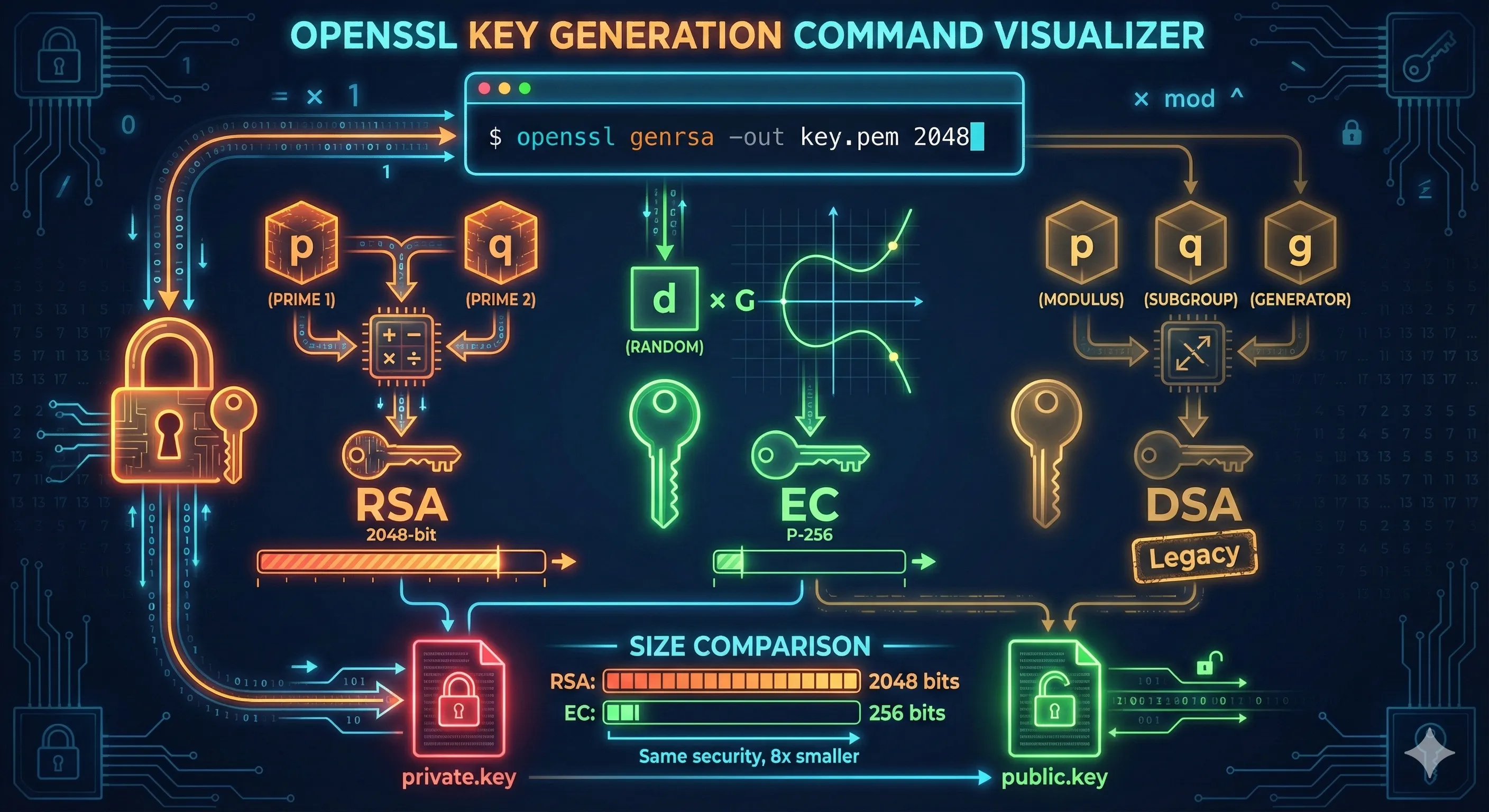
OpenSSL supports multiple key algorithms. Here's how they compare:
| Algorithm | Key Size | Security | Performance | Compatibility |
|---|---|---|---|---|
| RSA | 2048-4096 bits | ✅ Proven | ⚠️ Slower | ✅ Universal |
| ECDSA P-256 | 256 bits | ✅ Strong | ✅ Fast | ✅ Modern |
| ECDSA P-384 | 384 bits | ✅ Very Strong | ✅ Fast | ✅ Good |
| Ed25519 | 256 bits | ✅ Excellent | ✅ Fastest | ⚠️ Newer systems |
RSA
The classic choice. Use 2048 bits minimum, 4096 for long-term security. Works everywhere.
ECDSA
Modern elliptic curve. P-256 offers RSA-3072 security with much smaller keys.
Ed25519
Latest standard. Best performance, no weak parameter choices, fixed key size.
Generating RSA Keys
RSA is the most widely supported algorithm. Use genrsa or the newer genpkey command.
Basic RSA Key Generation
# Generate 2048-bit RSA key (minimum recommended)
openssl genrsa -out private.key 2048

# Generate 4096-bit RSA key (stronger, slower)
openssl genrsa -out private.key 4096
RSA Key with Password Protection
# Generate encrypted RSA key (will prompt for password)
openssl genrsa -aes256 -out private.key 2048

# Verify key is encrypted (should show "ENCRYPTED")
head -1 private.key
# -----BEGIN ENCRYPTED PRIVATE KEY-----
Using genpkey (Modern Method)
# Generate RSA key using genpkey (recommended)
openssl genpkey -algorithm RSA -pkeyopt rsa_keygen_bits:2048 -out private.key

# With encryption
openssl genpkey -algorithm RSA -pkeyopt rsa_keygen_bits:2048 \
  -aes-256-cbc -out private.key
Note: The genpkey command is the modern replacement forgenrsa. It supports all algorithms uniformly and is recommended for new scripts.
Generating ECDSA Keys
ECDSA keys offer equivalent security to RSA with much smaller key sizes. The most common curves are P-256 (prime256v1) and P-384 (secp384r1).
Using ecparam (Traditional Method)
# Generate ECDSA key with P-256 curve
openssl ecparam -genkey -name prime256v1 -out private.key

# Generate with P-384 curve (stronger)
openssl ecparam -genkey -name secp384r1 -out private.key

# List all available curves
openssl ecparam -list_curves
Using genpkey (Modern Method)
# Generate ECDSA P-256 key using genpkey
openssl genpkey -algorithm EC -pkeyopt ec_paramgen_curve:P-256 -out private.key

# Generate ECDSA P-384 key
openssl genpkey -algorithm EC -pkeyopt ec_paramgen_curve:P-384 -out private.key

# With encryption
openssl genpkey -algorithm EC -pkeyopt ec_paramgen_curve:P-256 \
  -aes-256-cbc -out private.key
Common ECDSA Curves
| Curve Name | Alternative Names | Security Level | Use Case |
|---|---|---|---|
| prime256v1 | P-256, secp256r1 | 128-bit | TLS, web servers |
| secp384r1 | P-384 | 192-bit | Government, high security |
| secp521r1 | P-521 | 256-bit | Maximum security |
Generating Ed25519 Keys
Ed25519 is a modern elliptic curve algorithm with excellent security and performance. It uses a fixed 256-bit key size and is resistant to timing attacks.
Generate Ed25519 Key
# Generate Ed25519 private key
openssl genpkey -algorithm Ed25519 -out private.key

# Generate with encryption
openssl genpkey -algorithm Ed25519 -aes-256-cbc -out private.key
Ed448 (Stronger Variant)
# Generate Ed448 private key (448-bit, even stronger)
openssl genpkey -algorithm Ed448 -out private.key
⚠️ Compatibility Note: Ed25519 requires OpenSSL 1.1.1+ and may not be supported by older servers, browsers, or applications. Test compatibility before deploying.
Encrypting Private Keys
Private keys should be encrypted with a passphrase to protect them if the file is compromised.
Encrypt an Existing Key
# Encrypt an unencrypted private key
openssl rsa -aes256 -in private.key -out private_encrypted.key

# For ECDSA keys
openssl ec -aes256 -in private.key -out private_encrypted.key

# For any key type (using pkey)
openssl pkey -aes256 -in private.key -out private_encrypted.key
Remove Encryption (Decrypt)
# Remove passphrase from RSA key
openssl rsa -in private_encrypted.key -out private.key

# Remove passphrase from ECDSA key
openssl ec -in private_encrypted.key -out private.key

# Generic method (any key type)
openssl pkey -in private_encrypted.key -out private.key
Encryption Algorithms
| Option | Algorithm | Recommendation |
|---|---|---|
| -aes256 | AES-256-CBC | ✅ Recommended |
| -aes-256-cbc | AES-256-CBC (explicit) | ✅ Recommended |
| -aes128 | AES-128-CBC | ⚠️ Acceptable |
| -des3 | Triple DES | ❌ Legacy only |
Security Warning: Never store unencrypted private keys in version control, shared directories, or backups. Use encrypted keys or a secrets manager.
Inspecting Generated Keys
After generating a key, verify its properties and extract the public key.
View Key Details
# View RSA key details
openssl rsa -in private.key -text -noout

# View ECDSA key details
openssl ec -in private.key -text -noout

# View any key type (generic)
openssl pkey -in private.key -text -noout
Extract Public Key
# Extract public key from RSA private key
openssl rsa -in private.key -pubout -out public.key

# Extract from ECDSA key
openssl ec -in private.key -pubout -out public.key

# Generic method (any key type)
openssl pkey -in private.key -pubout -out public.key
Check Key File Format
# Check if key is encrypted
head -1 private.key
# -----BEGIN ENCRYPTED PRIVATE KEY----- (encrypted)
# -----BEGIN PRIVATE KEY----- (PKCS#8, unencrypted)
# -----BEGIN RSA PRIVATE KEY----- (traditional, unencrypted)
# -----BEGIN EC PRIVATE KEY----- (EC traditional, unencrypted)

# Verify key is valid
openssl pkey -in private.key -check
Troubleshooting Common Errors
unable to load Private Key
unable to load Private KeyCauses:
- • Wrong passphrase for encrypted key
- • Corrupted key file
- • Wrong file format (e.g., certificate instead of key)
Solution: Check file header with head -1 private.key and verify it's actually a private key file.
Algorithm not supported
Error: Algorithm Ed25519 not supportedCause: Your OpenSSL version is too old.
# Check OpenSSL version
openssl version
# Ed25519 requires OpenSSL 1.1.1 or later
unknown curve name
unknown curve name (prime256v1)Solution: Try alternative curve names:
# List available curves
openssl ecparam -list_curves | grep -i 256

# Try different names for P-256
openssl ecparam -genkey -name P-256 -out key.pem
openssl ecparam -genkey -name secp256r1 -out key.pem
Permission denied
Error: unable to write 'private.key'Solution: Check directory permissions or specify a different output path. Private keys should be created with 600 permissions.
# Create key with proper permissions
umask 077
openssl genrsa -out private.key 2048

# Or fix after creation
chmod 600 private.key
Best Practices Checklist
- Use RSA 2048 minimum, 4096 for long-term security
- Prefer ECDSA P-256 or Ed25519 for new deployments
- Always encrypt private keys with AES-256
- Set file permissions to 600 (owner read/write only)
- Never commit private keys to version control
- Store keys in a secrets manager for production
- Rotate keys when employees leave or breaches occur
- Use genpkey instead of genrsa for new scripts
Frequently Asked Questions
Should I use RSA or ECDSA for SSL certificates?
For new deployments, use ECDSA P-256. It offers equivalent security to RSA-3072 with smaller keys and faster performance. Use RSA 2048 if you need compatibility with older systems.
What RSA key size should I use?
2048 bits is the minimum for certificates valid today. Use 4096 bits for keys that will be used beyond 2030 or for high-security applications.
Should I encrypt my private key with a passphrase?
Yes, always encrypt private keys in production. Use -aes256 encryption. For automated systems, use a secrets manager instead of storing passphrases in scripts.
What is the difference between genrsa and genpkey?
genpkey is the modern, unified command that works with all algorithms (RSA, EC, Ed25519). genrsa is the legacy command for RSA only. Use genpkey for new scripts.
Can I convert between key formats?
Yes. Use openssl pkey to convert between formats. For example, traditional RSA format to PKCS#8: openssl pkey -in traditional.key -out pkcs8.key
How do I generate a key and CSR in one command?
Use: openssl req -newkey rsa:2048 -keyout private.key -out request.csr. This generates both the private key and certificate signing request together.
Related Resources
OpenSSL CSR Creation
Create Certificate Signing Requests with your keys
RSA vs ECC Comparison
Choose the right algorithm for your use case
Encryption Basics
Understand symmetric vs asymmetric cryptography
Certificate File Formats
PEM, DER, PKCS#8 key format conversions
Inspect Certificates
View and verify your generated keys and certificates
Verify Certificate Chain
Validate chains and troubleshoot trust issues