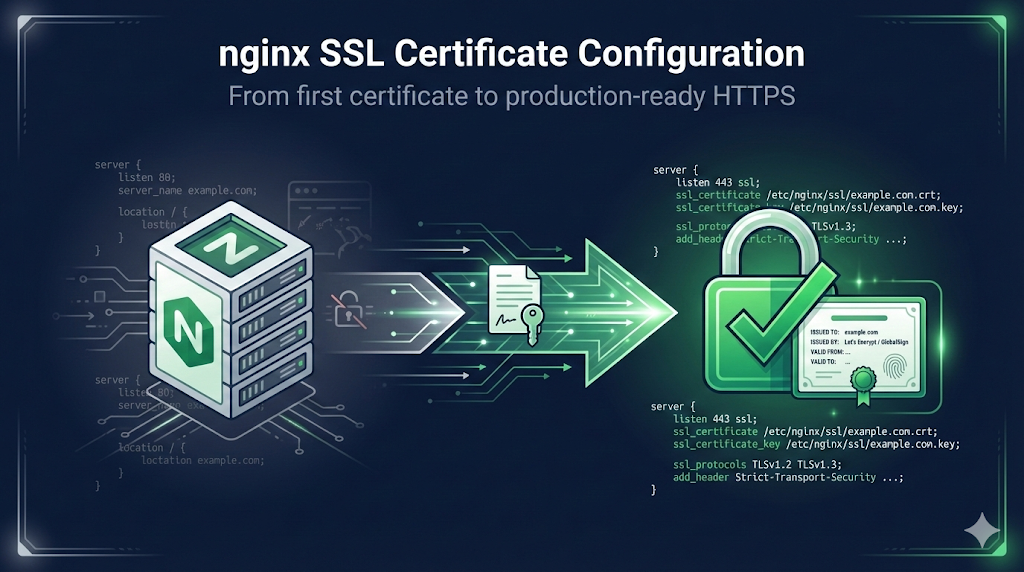
1. Quick Start (The 5-Minute Setup)
For the impatient - get HTTPS working, then refine.
server {
    listen 443 ssl;
    server_name example.com;

    ssl_certificate     /etc/nginx/ssl/example.com.crt;
    ssl_certificate_key /etc/nginx/ssl/example.com.key;

    # Your existing configuration
    root /var/www/html;
}Pre-Flight Checklist:
- Certificate file (.crt or .pem) - includes full chain
- Private key file (.key)
- Port 443 open in firewall
- DNS pointing to server
Test it:
sudo nginx -t && sudo systemctl reload nginx
curl -I https://example.com
2. Understanding nginx SSL Directives
Core Directives
| Directive | Purpose | Example |
|---|---|---|
| ssl_certificate | Path to certificate (+ chain) | /etc/nginx/ssl/cert.pem |
| ssl_certificate_key | Path to private key | /etc/nginx/ssl/key.pem |
| ssl_protocols | Allowed TLS versions | TLSv1.2 TLSv1.3 |
| ssl_ciphers | Allowed cipher suites | ECDHE-ECDSA-AES128-GCM-SHA256:... |
| ssl_prefer_server_ciphers | Server chooses cipher | on |
| ssl_session_cache | Session resumption cache | shared:SSL:10m |
| ssl_session_timeout | Session cache lifetime | 1d |
Certificate Chain Order
Critical: nginx expects the certificate chain in a specific order
-----BEGIN CERTIFICATE-----
[Your server certificate]
-----END CERTIFICATE-----
-----BEGIN CERTIFICATE-----
[Intermediate certificate]
-----END CERTIFICATE-----
-----BEGIN CERTIFICATE-----
[Another intermediate if needed]
-----END CERTIFICATE-----
Do NOT include the root certificate - clients have it in their trust store.
Combine files:
cat server.crt intermediate.crt > /etc/nginx/ssl/example.com.crt
3. Production-Ready Configuration
Recommended settings for 2026 - achieves an A+ on SSL Labs.
server {
    listen 443 ssl http2;
    listen [::]:443 ssl http2;
    server_name example.com www.example.com;

    # Certificate and key
    ssl_certificate     /etc/nginx/ssl/example.com.crt;
    ssl_certificate_key /etc/nginx/ssl/example.com.key;

    # Protocols - TLS 1.2 and 1.3 only
    ssl_protocols TLSv1.2 TLSv1.3;

    # Ciphers - Modern compatibility
    ssl_ciphers ECDHE-ECDSA-AES128-GCM-SHA256:ECDHE-RSA-AES128-GCM-SHA256:ECDHE-ECDSA-AES256-GCM-SHA384:ECDHE-RSA-AES256-GCM-SHA384:ECDHE-ECDSA-CHACHA20-POLY1305:ECDHE-RSA-CHACHA20-POLY1305:DHE-RSA-AES128-GCM-SHA256:DHE-RSA-AES256-GCM-SHA384;
    ssl_prefer_server_ciphers off;

    # OCSP Stapling
    ssl_stapling on;
    ssl_stapling_verify on;
    ssl_trusted_certificate /etc/nginx/ssl/chain.pem;
    resolver 8.8.8.8 8.8.4.4 valid=300s;
    resolver_timeout 5s;

    # Session settings
    ssl_session_cache shared:SSL:10m;
    ssl_session_timeout 1d;
    ssl_session_tickets off;

    # DH parameters (if using DHE ciphers)
    ssl_dhparam /etc/nginx/ssl/dhparam.pem;

    # Security headers
    add_header Strict-Transport-Security "max-age=63072000" always;

    # Your application config
    location / {
        # ...
    }
}Generate DH Parameters
openssl dhparam -out /etc/nginx/ssl/dhparam.pem 2048
Note: 2048-bit is sufficient; 4096-bit adds latency with minimal security benefit.
4. HTTP to HTTPS Redirect
server {
    listen 80;
    listen [::]:80;
    server_name example.com www.example.com;

    # Redirect all HTTP to HTTPS
    return 301 https://$server_name$request_uri;
}Why return 301 instead of rewrite?
- • Faster (no regex processing)
- • Clearer intent
- • Proper HTTP redirect status
5. Multiple Domains / SNI
Multiple Certificates (Separate Blocks)
server {
    listen 443 ssl;
    server_name site1.com;
    ssl_certificate     /etc/nginx/ssl/site1.com.crt;
    ssl_certificate_key /etc/nginx/ssl/site1.com.key;
    # ...
}

server {
    listen 443 ssl;
    server_name site2.com;
    ssl_certificate     /etc/nginx/ssl/site2.com.crt;
    ssl_certificate_key /etc/nginx/ssl/site2.com.key;
    # ...
}nginx automatically uses SNI to serve the correct certificate.
Wildcard Certificate
server {
    listen 443 ssl;
    server_name *.example.com;
    ssl_certificate     /etc/nginx/ssl/wildcard.example.com.crt;
    ssl_certificate_key /etc/nginx/ssl/wildcard.example.com.key;
    # ...
}Wildcard Warning: See Dangers of Wildcard Certificates for security considerations.
6. Let's Encrypt with Certbot
Initial Setup
# Install certbot
sudo apt install certbot python3-certbot-nginx

# Get certificate and auto-configure nginx
sudo certbot --nginx -d example.com -d www.example.com
Manual Certificate Only (No Auto-Config)
sudo certbot certonly --nginx -d example.com -d www.example.com
Certificates saved to:
- /etc/letsencrypt/live/example.com/fullchain.pem
- /etc/letsencrypt/live/example.com/privkey.pem
nginx Configuration for Let's Encrypt
server {
    listen 443 ssl;
    server_name example.com;

    ssl_certificate     /etc/letsencrypt/live/example.com/fullchain.pem;
    ssl_certificate_key /etc/letsencrypt/live/example.com/privkey.pem;

    # Include recommended settings
    include /etc/letsencrypt/options-ssl-nginx.conf;
    ssl_dhparam /etc/letsencrypt/ssl-dhparams.pem;
}Auto-Renewal
# Test renewal
sudo certbot renew --dry-run

# Cron job (usually auto-installed)
0 12 * * * /usr/bin/certbot renew --quiet
7. Reverse Proxy SSL Configuration
Terminate SSL at nginx (Most Common)
server {
    listen 443 ssl;
    server_name api.example.com;

    ssl_certificate     /etc/nginx/ssl/api.example.com.crt;
    ssl_certificate_key /etc/nginx/ssl/api.example.com.key;

    location / {
        proxy_pass http://backend:8080;
        proxy_set_header Host $host;
        proxy_set_header X-Real-IP $remote_addr;
        proxy_set_header X-Forwarded-For $proxy_add_x_forwarded_for;
        proxy_set_header X-Forwarded-Proto $scheme;
    }
}SSL to Backend (End-to-End Encryption)
location / {
    proxy_pass https://backend:8443;
    proxy_ssl_verify on;
    proxy_ssl_trusted_certificate /etc/nginx/ssl/backend-ca.crt;
    proxy_ssl_server_name on;
}| Directive | Purpose |
|---|---|
| proxy_ssl_verify | Verify backend certificate |
| proxy_ssl_trusted_certificate | CA to verify backend |
| proxy_ssl_server_name | Send SNI to backend |
8. Common Errors and Fixes
Error: "ssl_certificate" directive missing
Problem: Using ssl in listen directive without certificate config.
Fix: Add certificate directives:
ssl_certificate     /path/to/cert.pem;
ssl_certificate_key /path/to/key.pem;
Error: "cannot load certificate key"
Problem: Key file issues (wrong file, permissions, encrypted).
Check permissions:
ls -la /etc/nginx/ssl/
# Should be readable by nginx (usually root:root 600 or 640)
Check if key is encrypted:
head -1 /etc/nginx/ssl/key.pem
# "-----BEGIN ENCRYPTED PRIVATE KEY-----" = encrypted
# "-----BEGIN PRIVATE KEY-----" = unencrypted (what you want)
Decrypt if needed:
openssl rsa -in encrypted.key -out decrypted.key
Error: "key values mismatch"
Problem: Certificate and private key don't match.
Verify match:
# These should output the same hash
openssl x509 -noout -modulus -in cert.pem | openssl md5
openssl rsa -noout -modulus -in key.pem | openssl md5
Fix: Get the correct key that matches your certificate.
Error: SSL Handshake Failed / ERR_SSL_PROTOCOL_ERROR
Possible causes: TLS version mismatch, cipher incompatibility, incomplete chain.
Debug:
openssl s_client -connect example.com:443 -servername example.com
Error: Certificate chain incomplete
Symptoms: Works in some browsers, not others. Mobile often fails first.
Diagnose:
openssl s_client -connect example.com:443 -servername example.com 2>/dev/null | grep -A2 "Certificate chain"
Fix - concatenate intermediate certificates:
cat server.crt intermediate.crt > fullchain.crt
9. Testing Your Configuration
SSL Labs Test
Test your configuration at: SSL Labs
Target: A or A+ grade
Local Testing with OpenSSL
# Basic connection test
openssl s_client -connect example.com:443 -servername example.com

# Check certificate dates
echo | openssl s_client -connect example.com:443 -servername example.com 2>/dev/null | openssl x509 -noout -dates

# Check certificate chain
openssl s_client -connect example.com:443 -servername example.com -showcerts
nginx Configuration Test
sudo nginx -t
Always run this before reloading!
10. Security Checklist
- TLS 1.2+ only (no SSLv3, TLS 1.0, TLS 1.1)
- Strong cipher suites (ECDHE, no RC4, no 3DES)
- Certificate chain complete
- HSTS header enabled
- HTTP redirects to HTTPS
- OCSP stapling enabled
- Private key permissions restricted (600 or 640)
- DH parameters generated (if using DHE)
- SSL Labs grade A or higher
Frequently Asked Questions
Related Resources
ERR_SSL_VERSION_OR_CIPHER_MISMATCH
Fix cipher and protocol mismatch errors
OpenSSL s_client
Testing SSL connections
Certificate Chain Builder
Understanding chains
SSL/TLS Checker
Test your configuration
Certificate Renewal Runbook
Step-by-step renewal procedure
Apache SSL Certificate
mod_ssl configuration guide
HAProxy SSL Certificate
Load balancer SSL configuration