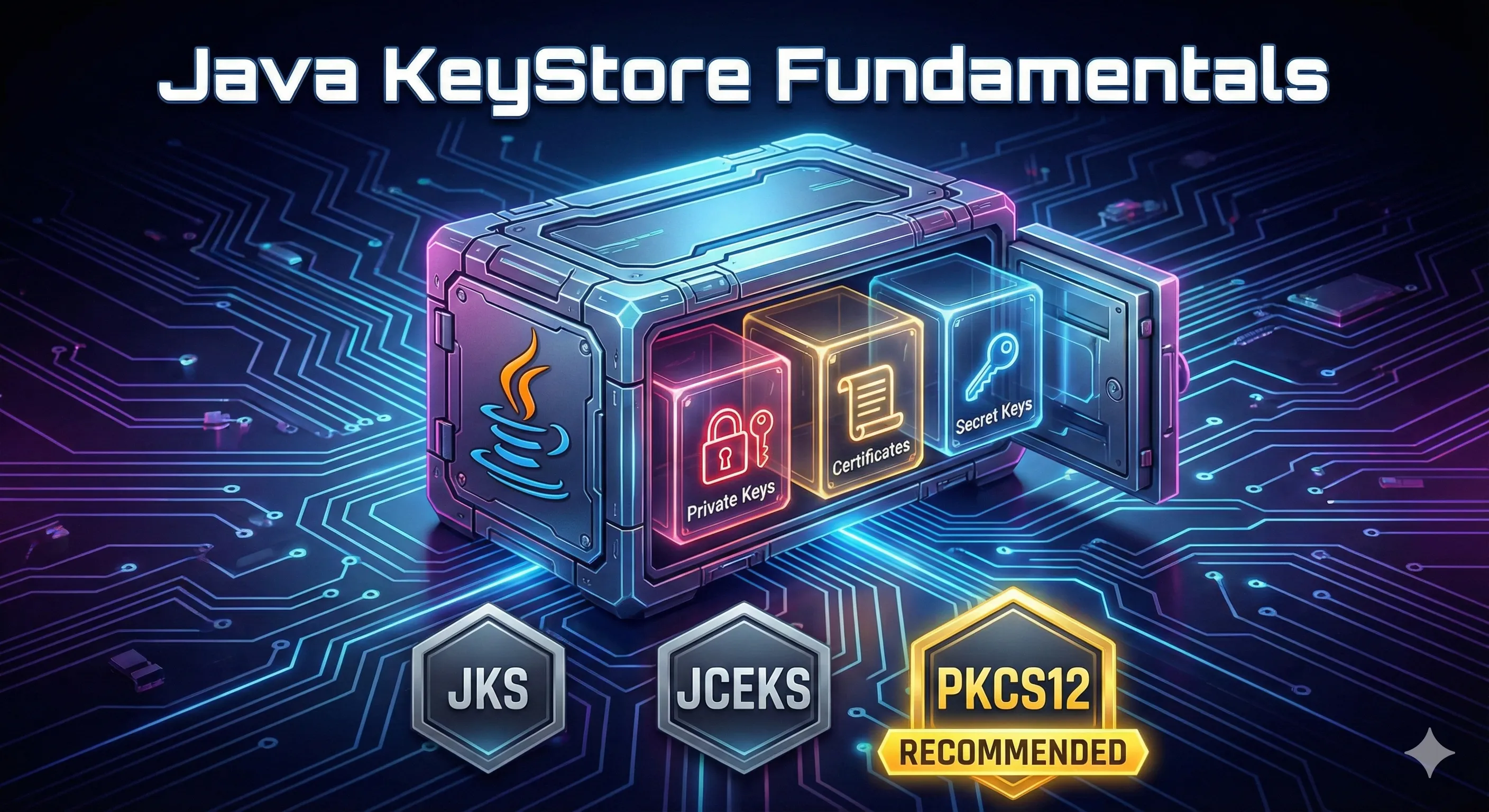
What is a Java KeyStore?
A Java KeyStore is a secure, password-protected file that stores:
- Private keys — Your secret cryptographic keys
- Certificates — Public keys signed by a CA
- Secret keys — Symmetric encryption keys (AES, etc.)
💡 One-liner: A keystore is a secure vault for your application's cryptographic credentials.
KeyStore Formats Compared
Java supports several keystore formats, each with different features and compatibility:
| Format | Extension | Default In | Cross-Platform | Secret Keys | Recommended |
|---|---|---|---|---|---|
| JKS | .jks | Java 8 and earlier | ❌ Java only | ❌ No | ❌ Legacy |
| PKCS12 | .p12, .pfx | Java 9+ ✓ | ✅ Universal | ✅ Yes | ✅ Yes |
| JCEKS | .jceks | No | ❌ Java only | ✅ Yes | ⚠️ Limited use |
| BCFKS | .bcfks | No | ❌ Bouncy Castle | ✅ Yes | ⚠️ FIPS mode |
Recommendation: Always use PKCS12 (.p12) for new keystores. It's the default since Java 9, works with OpenSSL, browsers, and all major platforms.
JKS (Java KeyStore)
The original Java-proprietary format. Still widely used in legacy applications but has limitations:
- • Uses weaker encryption algorithms
- • Cannot store symmetric (secret) keys
- • Not compatible with non-Java tools
- • Oracle recommends migrating to PKCS12
PKCS12 (Public Key Cryptography Standards #12)
The industry-standard format for storing private keys and certificates:
- • Compatible with OpenSSL, Windows, macOS, browsers
- • Supports all key types including secret keys
- • Better encryption than JKS
- • Default format since Java 9
JCEKS (Java Cryptography Extension KeyStore)
An enhanced version of JKS with stronger encryption:
- • Supports secret (symmetric) keys unlike JKS
- • Uses triple-DES encryption
- • Still Java-proprietary (not cross-platform)
- • Use only if you need secret key storage and can't use PKCS12
Entry Types Explained
A keystore can contain different types of entries, each serving a specific purpose:
PrivateKeyEntry
Contains a private key and its associated certificate chain. This is what you use for:
- • SSL/TLS server identity (HTTPS)
- • Client authentication (mTLS)
- • Code signing
- • Document signing
# Private key entries show "PrivateKeyEntry" in listing
keytool -list -keystore server.p12 -storepass changeit

# Output:
# server, Dec 14, 2024, PrivateKeyEntry,
# Certificate fingerprint (SHA-256): AB:CD:EF...
TrustedCertificateEntry
Contains only a certificate (public key), no private key. Used in truststores for:
- • Root CA certificates
- • Intermediate CA certificates
- • Trusted peer certificates
# Trusted certificate entries show "trustedCertEntry"
keytool -list -keystore truststore.p12 -storepass changeit

# Output:
# digicertroot, Dec 14, 2024, trustedCertEntry,
# Certificate fingerprint (SHA-256): 12:34:56...
SecretKeyEntry
Contains a symmetric encryption key (AES, DES, etc.). Requires JCEKS or PKCS12 format:
- • AES encryption keys
- • HMAC keys
- • Application secrets
# Generate a 256-bit AES secret key
keytool -genseckey -alias aeskey \
  -keyalg AES -keysize 256 \
  -keystore secrets.p12 -storetype PKCS12 \
  -storepass changeit
Store Password vs Key Password
Java keystores have two levels of password protection:
Store Password
Protects the keystore file itself. Required to open the keystore.
-storepass changeitKey Password
Protects individual private keys within the store.
-keypass secretkey⚠️ PKCS12 Limitation: In PKCS12 format, the store password and key password must be the same. If you specify different passwords, keytool will warn you.
Security Warning: Never use "changeit" in production! It's the well-known default password for Java's cacerts truststore.
How to Create a KeyStore
Create a PKCS12 Keystore with Key Pair
keytool -genkeypair -alias myserver \
  -keyalg RSA -keysize 2048 \
  -keystore server.p12 -storetype PKCS12 \
  -validity 365 \
  -dname "CN=myserver.example.com,O=MyCompany,C=US" \
  -storepass changeit
Create a JKS Keystore (Legacy)
keytool -genkeypair -alias myserver \
  -keyalg RSA -keysize 2048 \
  -keystore server.jks -storetype JKS \
  -validity 365 \
  -dname "CN=myserver.example.com,O=MyCompany,C=US" \
  -storepass changeit -keypass changeit
List Keystore Contents
# Brief listing
keytool -list -keystore server.p12 -storepass changeit

# Verbose listing (shows certificate details)
keytool -list -v -keystore server.p12 -storepass changeit
Convert JKS to PKCS12
keytool -importkeystore \
  -srckeystore server.jks -srcstoretype JKS \
  -destkeystore server.p12 -deststoretype PKCS12 \
  -srcstorepass changeit -deststorepass changeit
Common KeyStore Locations
| Location | Purpose | Default Password |
|---|---|---|
| $JAVA_HOME/lib/security/cacerts | JVM default truststore | changeit |
| ~/.keystore | User default keystore | (user-defined) |
| /etc/pki/java/cacerts | RHEL/CentOS system truststore | changeit |
# Find your Java cacerts location
echo $JAVA_HOME/lib/security/cacerts

# Or locate it
find / -name "cacerts" 2>/dev/null | grep java
Troubleshooting Common Errors
keystore was tampered with, or password was incorrect
java.io.IOException: Keystore was tampered with, or password was incorrectCauses:
- • Wrong password
- • Wrong keystore type (e.g., JKS vs PKCS12)
- • Corrupted keystore file
Fix: Verify password and explicitly specify the correct storetype:
keytool -list -keystore mystore.p12 \
  -storetype PKCS12 -storepass yourpassword
Keystore file does not exist
java.io.FileNotFoundException: keystore.jks (No such file or directory)Cause: The keystore path is incorrect or the file doesn't exist.
Fix: Check the path and create the keystore if needed:
# Verify the file exists
ls -la /path/to/keystore.p12

# Check if path is correct in your config
echo $JAVA_OPTS | grep keyStore
Cannot recover key
java.security.UnrecoverableKeyException: Cannot recover keyCause: The key password is different from the store password.
Fix: For PKCS12, ensure both passwords match:
# Change the key password to match store password
keytool -keypasswd -alias mykey \
  -keystore mystore.p12 -storepass changeit \
  -keypass oldkeypass -new changeit
Best Practices Checklist
- Use PKCS12 format for all new keystores
- Never use "changeit" as a production password
- Keep private keys and truststores in separate files
- Set restrictive file permissions (chmod 600)
- Store keystores outside your application directory
- Use environment variables for keystore paths, not hardcoded values
- Regularly rotate certificates before expiration
- Back up keystores in a secure location
- Document keystore locations and aliases
- Use strong passwords (16+ characters, mixed case, numbers, symbols)
Frequently Asked Questions
What is a JKS file used for?
A JKS (Java KeyStore) file stores private keys, certificates, and secret keys used for SSL/TLS connections, code signing, and encryption in Java applications.
What is the difference between JKS and PKCS12?
JKS is a Java-proprietary format that only works with Java tools. PKCS12 is an industry standard that works with OpenSSL, browsers, and all major platforms. PKCS12 is recommended for all new keystores.
How do I open a JKS file?
Use the keytool command: keytool -list -v -keystore yourfile.jks -storepass yourpassword. You can also convert it to PKCS12 and open with other tools.
What is the default Java keystore password?
The default password for Java's cacerts truststore is "changeit". You should never use this password for your own keystores in production.
Where is the Java keystore located?
The default JVM truststore (cacerts) is at $JAVA_HOME/lib/security/cacerts. Application keystores should be stored in a secure location specified by your configuration.
Can a keystore contain multiple certificates?
Yes, a keystore can contain multiple entries, each identified by a unique alias. You can have multiple private keys, certificates, and secret keys in one keystore.
How do I convert JKS to PKCS12?
Use: keytool -importkeystore -srckeystore file.jks -srcstoretype JKS -destkeystore file.p12 -deststoretype PKCS12
Ready to Practice?
Try our interactive demo to explore Java KeyStore concepts with visual, step-by-step animations.
Related Resources
Keystore vs Truststore
Understand when to use a keystore versus a truststore in your Java applications.
Keytool Command Reference
Complete reference for all keytool commands with copy-paste examples.
Java Certificate Conversion
Convert between JKS, PKCS12, and PEM formats with step-by-step commands.
PKCS#12/PFX Format Guide
Deep dive into the industry-standard PKCS#12 format that replaced JKS.
Certificate File Formats
Understand PEM, DER, CRT, and other certificate file formats.