Quick Answer: View Certificate Details
# View certificate from file
openssl x509 -in certificate.crt -text -noout

# View certificate from website
openssl s_client -connect example.com:443 -servername example.com 2>/dev/null | \
  openssl x509 -text -noout

# Quick expiration check
openssl x509 -in certificate.crt -enddate -noout
💡 Tip: Use -noout to suppress the encoded certificate output and only show the human-readable text.
View Certificate from File
PEM Format (Base64 Encoded)
# View full certificate details
openssl x509 -in certificate.pem -text -noout

# View certificate with the encoded output
openssl x509 -in certificate.pem -text
DER Format (Binary)
# View DER-encoded certificate
openssl x509 -in certificate.der -inform DER -text -noout

# Convert DER to PEM for easier viewing
openssl x509 -in certificate.der -inform DER -out certificate.pem -outform PEM
PKCS#7 Bundle (.p7b)
# View certificates in PKCS#7 bundle
openssl pkcs7 -in bundle.p7b -print_certs -text -noout

# Extract certificates from PKCS#7 to PEM
openssl pkcs7 -in bundle.p7b -print_certs -out certificates.pem
PKCS#12 / PFX File
# View certificate in PKCS#12 file (will prompt for password)
openssl pkcs12 -in keystore.p12 -clcerts -nokeys | openssl x509 -text -noout

# Extract certificate from PKCS#12
openssl pkcs12 -in keystore.p12 -clcerts -nokeys -out certificate.pem
View Certificate from Website
Basic Remote Certificate View
# View certificate from HTTPS server
openssl s_client -connect example.com:443 -servername example.com 2>/dev/null | \
  openssl x509 -text -noout

# Just the certificate (no handshake info)
echo | openssl s_client -connect example.com:443 -servername example.com 2>/dev/null | \
  openssl x509 -text -noout
View Full Certificate Chain
# Show all certificates in the chain
openssl s_client -connect example.com:443 -servername example.com -showcerts 2>/dev/null

# Count certificates in chain
openssl s_client -connect example.com:443 -servername example.com -showcerts 2>/dev/null | \
  grep -c "BEGIN CERTIFICATE"
Save Remote Certificate
# Save server certificate to file
echo | openssl s_client -connect example.com:443 -servername example.com 2>/dev/null | \
  sed -ne '/-BEGIN CERTIFICATE-/,/-END CERTIFICATE-/p' > server.crt

# Save entire chain
echo | openssl s_client -connect example.com:443 -servername example.com -showcerts 2>/dev/null | \
  sed -ne '/-BEGIN CERTIFICATE-/,/-END CERTIFICATE-/p' > chain.crt
Other Ports and Protocols
# SMTP with STARTTLS
openssl s_client -connect mail.example.com:25 -starttls smtp

# IMAP with STARTTLS
openssl s_client -connect mail.example.com:143 -starttls imap

# FTP with STARTTLS
openssl s_client -connect ftp.example.com:21 -starttls ftp

# Custom port
openssl s_client -connect example.com:8443 -servername example.com
Extract Specific Fields
Common Field Extraction
# Subject (who the cert is issued to)
openssl x509 -in cert.pem -subject -noout

# Issuer (who issued the cert)
openssl x509 -in cert.pem -issuer -noout

# Validity dates
openssl x509 -in cert.pem -dates -noout

# Serial number
openssl x509 -in cert.pem -serial -noout

# Fingerprint (SHA-256)
openssl x509 -in cert.pem -fingerprint -sha256 -noout

# Public key
openssl x509 -in cert.pem -pubkey -noout
Subject Alternative Names (SANs)
# View SANs
openssl x509 -in cert.pem -text -noout | grep -A 1 "Subject Alternative Name"

# Extract just DNS names
openssl x509 -in cert.pem -text -noout | grep -oP 'DNS:[^,]+' | sed 's/DNS://'

# Check if specific domain is in SANs
openssl x509 -in cert.pem -text -noout | grep -q "DNS:example.com" && echo "Found" || echo "Not found"
Key Usage and Extended Key Usage
# View key usage
openssl x509 -in cert.pem -text -noout | grep -A 2 "Key Usage"

# View extended key usage
openssl x509 -in cert.pem -text -noout | grep -A 2 "Extended Key Usage"

# Check if it's a CA certificate
openssl x509 -in cert.pem -text -noout | grep "CA:TRUE" && echo "Is CA" || echo "Not CA"
Common Output Fields Explained
| Field | Description | Example |
|---|---|---|
| Subject | Certificate owner | CN=example.com, O=ACME |
| Issuer | CA that signed it | CN=DigiCert CA, O=DigiCert |
| Not Before | Valid from date | Dec 1 00:00:00 2024 GMT |
| Not After | Expiration date | Dec 1 23:59:59 2025 GMT |
| SAN | Alternative hostnames | DNS:example.com, DNS:www.example.com |
Check Certificate Expiration
Quick Expiration Check
# Show expiration date
openssl x509 -in cert.pem -enddate -noout
# notAfter=Dec 31 23:59:59 2025 GMT

# Show both start and end dates
openssl x509 -in cert.pem -dates -noout
Check if Certificate is Expired
# Check if expired (exit code 0 = valid, 1 = expired)
openssl x509 -in cert.pem -checkend 0 -noout
if [ $? -eq 0 ]; then
  echo "Certificate is valid"
else
  echo "Certificate is EXPIRED"
fi
Check if Expiring Soon
# Check if expiring within 30 days (2592000 seconds)
openssl x509 -in cert.pem -checkend 2592000 -noout
if [ $? -eq 0 ]; then
  echo "Certificate valid for at least 30 days"
else
  echo "Certificate expires within 30 days!"
fi

# Check expiration of remote certificate
echo | openssl s_client -connect example.com:443 -servername example.com 2>/dev/null | \
  openssl x509 -checkend 2592000 -noout
Days Until Expiration
# Calculate days until expiration
expiry=$(openssl x509 -in cert.pem -enddate -noout | cut -d= -f2)
expiry_epoch=$(date -d "$expiry" +%s)
now_epoch=$(date +%s)
days_left=$(( (expiry_epoch - now_epoch) / 86400 ))
echo "Certificate expires in $days_left days"
Verify Certificate/Key Match
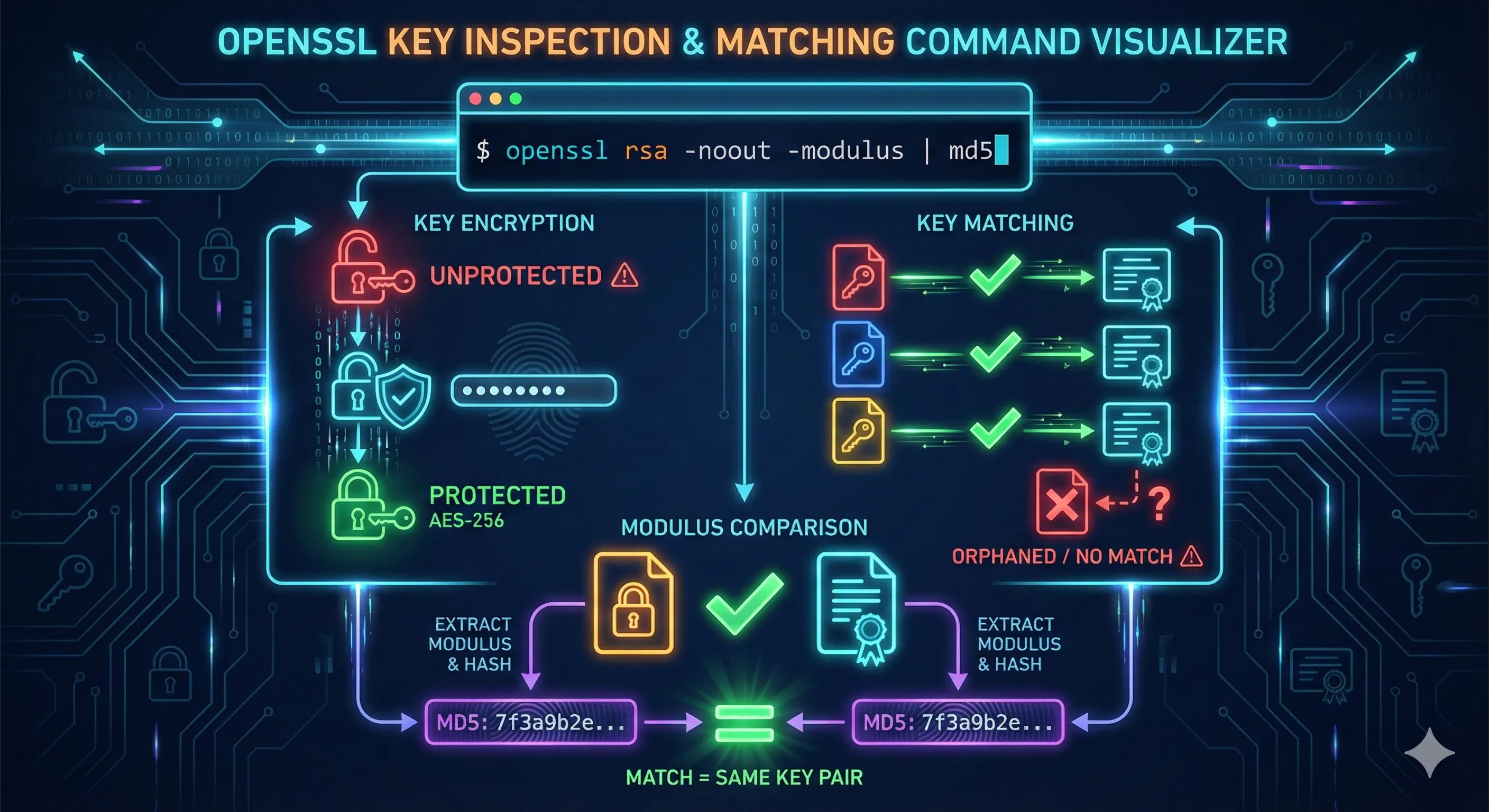
Before deploying a certificate, verify that the certificate, private key, and CSR all match.
RSA Key Match
# Compare modulus of certificate and private key
openssl x509 -in cert.pem -noout -modulus | md5sum
openssl rsa -in private.key -noout -modulus | md5sum

# If the hashes match, the key pair is correct
# One-liner comparison:
diff <(openssl x509 -in cert.pem -noout -modulus) \
     <(openssl rsa -in private.key -noout -modulus) && echo "MATCH" || echo "NO MATCH"
ECDSA Key Match
# For ECDSA keys, compare public key
openssl x509 -in cert.pem -noout -pubkey | md5sum
openssl ec -in private.key -pubout 2>/dev/null | md5sum

# Compare public key bytes
diff <(openssl x509 -in cert.pem -noout -pubkey) \
     <(openssl ec -in private.key -pubout 2>/dev/null) && echo "MATCH" || echo "NO MATCH"
Verify CSR Matches Key
# Compare CSR and private key
openssl req -in request.csr -noout -modulus | md5sum
openssl rsa -in private.key -noout -modulus | md5sum

# All three should match
openssl x509 -in cert.pem -noout -modulus | md5sum
openssl req -in request.csr -noout -modulus | md5sum
openssl rsa -in private.key -noout -modulus | md5sum
Troubleshooting Common Errors
unable to load certificate
unable to load certificateCauses:
- • Wrong file format (DER instead of PEM)
- • File is a key, not a certificate
- • Corrupted file
# Check file type
file certificate.crt

# Try DER format
openssl x509 -in certificate.crt -inform DER -text -noout
Connection refused or timeout
When connecting to remote servers:
# Test if port is open
nc -zv example.com 443

# Try with explicit TLS version
openssl s_client -connect example.com:443 -tls1_2

# Check for SNI issues (use -servername)
openssl s_client -connect example.com:443 -servername example.com
Certificate and key don't match
Possible causes:
- • CSR was generated with a different key
- • Certificate was re-issued without matching key
- • Files are from different certificate requests
Solution: Generate a new CSR from the existing private key and request certificate re-issuance.
Best Practices Checklist
- Always verify certificate/key match before deployment
- Check SANs include all required hostnames
- Verify expiration date before installing
- Confirm issuer is a trusted CA
- Check key usage matches intended purpose
- Use -servername for SNI when testing remote certs
- Save remote certificates for offline analysis
- Set up automated expiration monitoring
Frequently Asked Questions
How do I view a certificate from a website?
Use: echo | openssl s_client -connect example.com:443 -servername example.com 2>/dev/null | openssl x509 -text -noout
What's the difference between PEM and DER format?
PEM is Base64-encoded text with header/footer markers. DER is binary format. Use -inform DER for binary certificates. Most servers and CAs use PEM format.
How do I check if my certificate covers a specific domain?
View the SANs: openssl x509 -in cert.pem -text -noout | grep -A 1 "Subject Alternative Name". The domain must appear in SANs or match the CN.
Why does s_client show "unable to verify the first certificate"?
The server isn't sending the full chain, or your local trust store doesn't have the issuing CA. This is often not an error - use -CAfile to specify trusted CAs for proper verification.
How do I extract just the certificate from a PKCS12 file?
Use: openssl pkcs12 -in keystore.p12 -clcerts -nokeys -out cert.pem. You'll be prompted for the PKCS12 password.
How can I verify the certificate chain is complete?
Use: openssl verify -CAfile ca-bundle.crt cert.pem. If successful, the chain is complete. See the OpenSSL Verify Chain guide for details.
Related Resources
OpenSSL s_client Guide
Test SSL/TLS connections and debug handshakes
Verify Certificate Chain
Validate chains and troubleshoot trust issues
Chain Builder Demo
Interactive tool to build and debug certificate chains
Certificate Anatomy
Understand every field in X.509 certificates
Certificate File Formats
PEM, DER, PKCS#12 and format conversions