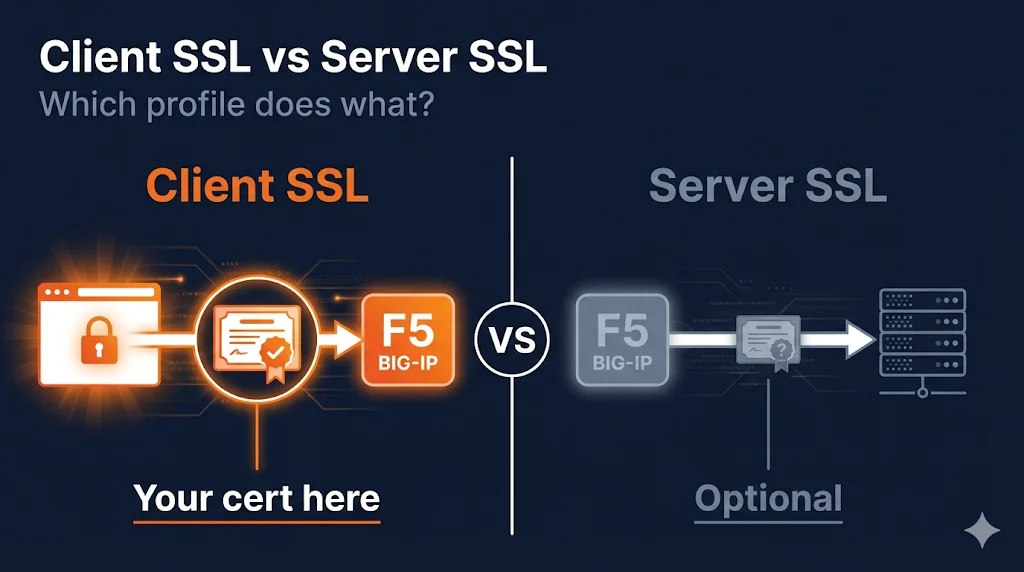
The 30-Second Version
Client SSL Profile: Handles traffic FROM clients (browsers) TO F5. Your server certificate lives here.
Server SSL Profile: Handles traffic FROM F5 TO your backend servers. Only needed for re-encryption.
The confusion: "Client" and "Server" refer to who F5 is talking to, not which certificate type.
The Simple Answer
Client SSL Profile
- Handles where users connect TO the F5
- F5 acts as a server in this connection
- Your public certificate goes here
- Always needed for HTTPS virtual servers
Server SSL Profile
- Handles where F5 connects TO your backend
- F5 acts as a client in this connection
- Usually doesn't need a certificate
- Only needed if backend requires HTTPS
Visual Explanation
┌────────────────────────────────────────────────────────────────────────────┐
│                                                                            │
│   ┌──────────┐              ┌─────────────┐              ┌──────────┐     │
│   │          │    HTTPS     │             │   HTTP or    │          │     │
│   │  Client  │ ───────────▶ │   F5 LTM    │ ──────────▶  │  Server  │     │
│   │ (Browser)│              │             │    HTTPS     │ (Backend)│     │
│   │          │ ◀─────────── │             │ ◀──────────  │          │     │
│   └──────────┘              └─────────────┘              └──────────┘     │
│                                                                            │
│        │                           │                           │          │
│        │                    ┌──────┴──────┐                    │          │
│        │              ┌─────┴─────┐ ┌─────┴─────┐              │          │
│        │              │ Client SSL│ │Server SSL │              │          │
│        │              │  Profile  │ │  Profile  │              │          │
│        │              └───────────┘ └───────────┘              │          │
│        │                    │             │                    │          │
│        ▼                    ▼             ▼                    ▼          │
│                                                                            │
│   "CLIENT"              YOUR CERT      (optional)           "SERVER"      │
│   connection            GOES HERE       backend             connection    │
│                                        encryption                         │
│                                                                            │
└────────────────────────────────────────────────────────────────────────────┘
The naming is from F5's perspective:
- • Client SSL = manages the CLIENT's connection (F5 is the server)
- • Server SSL = manages the SERVER's connection (F5 is the client)
Why The Naming Is Counterintuitive
When you first hear "Client SSL profile," you might think:
Actually:
| Profile | Who F5 is talking to | F5's role | Certificate needed |
|---|---|---|---|
| Client SSL | Clients (browsers) | Server | Your server cert |
| Server SSL | Backend servers | Client | Usually none |
What Goes Where
Certificate Placement Guide
| What You Want | Which Profile | Which Setting |
|---|---|---|
| Present certificate to users | Client SSL | Certificate Key Chain |
| Present intermediate chain to users | Client SSL | Chain (in Cert Key Chain) |
| Require users to have certificates (mTLS) | Client SSL | Client Authentication |
| Trust specific CAs for user certs | Client SSL | Trusted Certificate Authorities |
| Present certificate to backend (rare) | Server SSL | Certificate Key Chain |
| Verify backend certificate | Server SSL | Server Authentication |
| Trust specific CAs for backend certs | Server SSL | Trusted Certificate Authorities |
Real-World Scenarios
Scenario A: Standard HTTPS Website (SSL Offload)
What you need:
- Client SSL Profile (with your certificate)
- Server SSL Profile (not needed)
Why: F5 terminates SSL. Backend gets plain HTTP. Simple and common.
Scenario B: End-to-End Encryption
What you need:
- Client SSL Profile (with your public certificate)
- Server SSL Profile (to encrypt to backend)
Why: Compliance requires encryption at rest. F5 decrypts, inspects, re-encrypts.
Scenario C: Mutual TLS (mTLS) with Clients
What you need:
- Client SSL Profile (with your cert + Client Authentication)
- Server SSL Profile (not needed if backend is HTTP)
Client SSL Config: Certificate Key Chain: Your server cert | Client Authentication: Require | Trusted CAs: CA that issued client certs
Scenario D: Backend Requires Client Certificate
What you need:
- Client SSL Profile (with your public certificate)
- Server SSL Profile (with certificate to present to backend)
This is rare but happens with backend APIs that require mTLS, zero-trust architectures, or service mesh integrations.
Configuration Comparison
Client SSL Profile Settings
| Setting | Purpose | Typical Value |
|---|---|---|
| Certificate | Your server cert | www.example.com.crt |
| Key | Private key | www.example.com.key |
| Chain | Intermediate CA(s) | DigiCertCA.crt |
| Ciphers | Allowed ciphers | ECDHE+AES-GCM:ECDHE+AES |
| Options | TLS versions | No TLSv1, No TLSv1.1 |
| Client Authentication | Require client certs? | Ignore (usually) |
Server SSL Profile Settings
| Setting | Purpose | Typical Value |
|---|---|---|
| Certificate | Cert for backend (rare) | Often empty |
| Server Name | SNI to send to backend | Backend hostname |
| Server Authentication | Verify backend cert? | Ignore (trust by network) |
| Ciphers | Allowed algorithms | Match backend requirements |
| Options | TLS versions | Match backend requirements |
Common Mistakes
Mistake 1: Putting Your Certificate in Server SSL
Wrong thinking: "Users are connecting to my server, so I need Server SSL"
Reality: Users connect TO F5 as a client. F5 is the server. Certificate goes in Client SSL.
Mistake 2: Creating Server SSL When Not Needed
Wrong thinking: "I have HTTPS, so I need both profiles"
Reality: You only need Server SSL if your backend requires HTTPS. Most setups don't.
Mistake 3: Confusing Client Auth Settings
Wrong thinking: "Client Authentication in Server SSL is for authenticating clients"
- • Client SSL → Client Authentication = Require users to present certs
- • Server SSL → Server Authentication = Verify backend server's cert
Mistake 4: Wrong Chain Location
Wrong thinking: "Trusted Certificate Authorities is where my chain goes"
- • Chain (in Certificate Key Chain) = Intermediates to SEND to clients
- • Trusted CAs = CAs to TRUST for validating client certificates
Quick Decision Guide
┌─────────────────────────────────────────────────────────────┐
│                    DO YOU NEED HTTPS?                        │
│                           │                                  │
│                          YES                                 │
│                           │                                  │
│                           ▼                                  │
│         ┌─────────────────────────────────┐                 │
│         │   CREATE CLIENT SSL PROFILE     │                 │
│         │   Add your certificate here     │                 │
│         └─────────────────────────────────┘                 │
│                           │                                  │
│                           ▼                                  │
│         Does your BACKEND need HTTPS?                       │
│                    │           │                            │
│                   YES          NO                           │
│                    │           │                            │
│                    ▼           ▼                            │
│         ┌──────────────┐  ┌──────────────┐                 │
│         │Also create   │  │ You're done! │                 │
│         │Server SSL    │  │ (SSL Offload)│                 │
│         │Profile       │  └──────────────┘                 │
│         └──────────────┘                                   │
│                                                             │
└─────────────────────────────────────────────────────────────┘
Verification Commands
# Check which profiles are assigned to a virtual server
tmsh list ltm virtual my-virtual-server profiles

# Example output:
# profiles {
#     my-client-ssl {
#         context clientside    ← This is Client SSL
#     }
#     my-server-ssl {
#         context serverside    ← This is Server SSL
#     }
#     tcp { }
# }

# Test the client-facing certificate
openssl s_client -connect your-vip:443 -servername your-domain.com

# Test what the backend sees (from F5 shell)
curl -vk https://backend-server:443Frequently Asked Questions
Related Resources
F5 SSL Profiles Explained
The foundational guide to understanding what SSL profiles are and why they exist.
F5 Certificate Installation
Step-by-step guide to installing SSL certificates on BIG-IP.
mTLS (Mutual TLS) Guide
Deep dive into mutual TLS and client certificate authentication.
F5 Certificate Chain Configuration
Configure intermediate certificate chains correctly on BIG-IP.
How TLS Works
Complete guide to TLS handshakes and certificate verification.
Cipher Suite Decoder
Understand cipher suites and their components for SSL profile configuration.