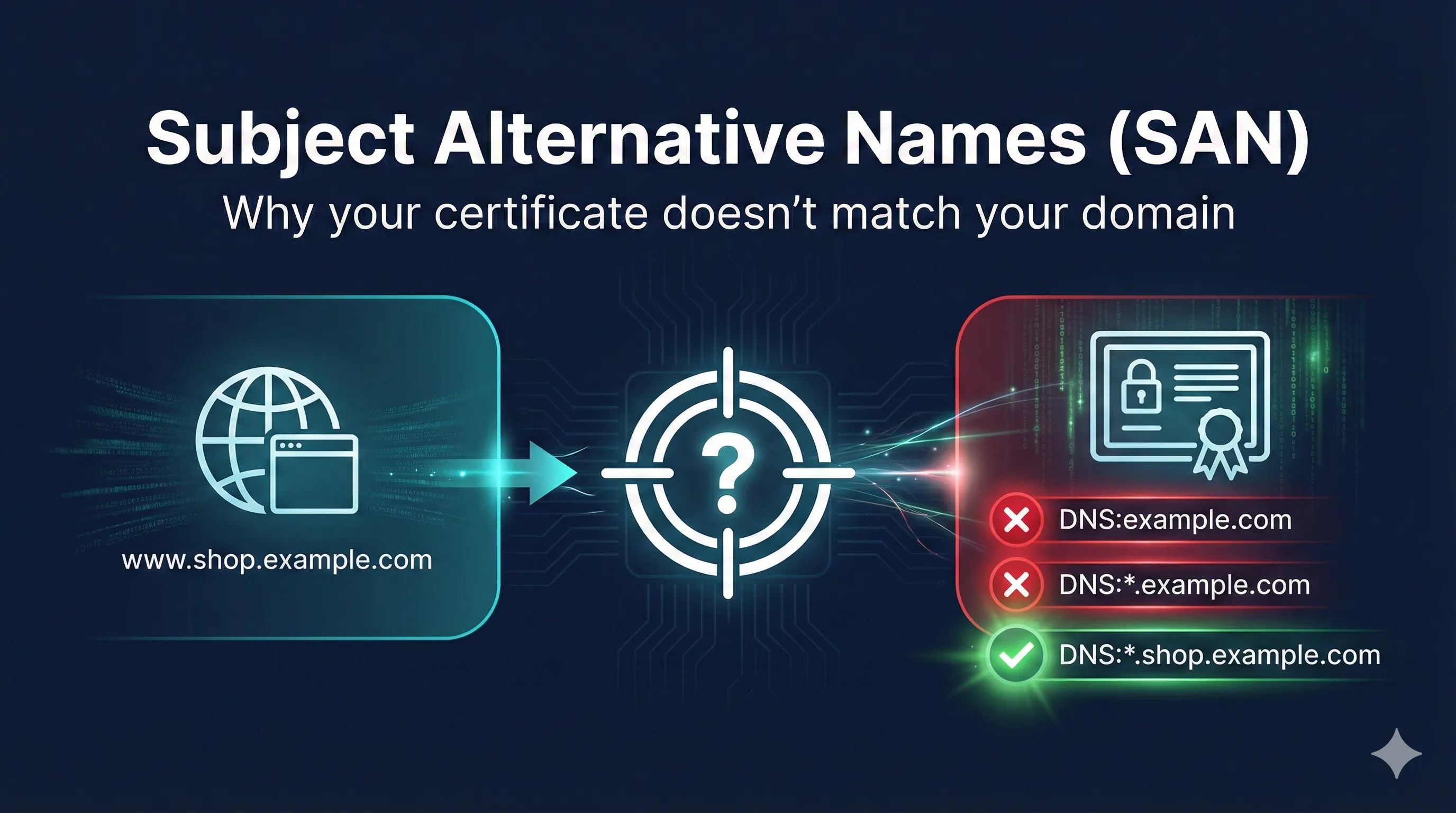
The 30-Second Answer
If your certificate doesn't match your domain, check the Subject Alternative Names (SANs), not the Common Name (CN).
Since March 2017, all major browsers ignore the Common Name field entirely. Your certificate must list every domain in the SAN extension, or it will fail.
Quick diagnostic:
openssl s_client -connect yourdomain.com:443 2>/dev/null | \
  openssl x509 -noout -text | grep -A1 "Subject Alternative Name"
If your domain isn't in that list, that's your problem.
What Are Subject Alternative Names?
Subject Alternative Names (SANs) are an X.509 certificate extension that lists all the identities (domains, IPs, emails) that a certificate is valid for.
The Old Way: Common Name (CN)
Historically, the domain went in the certificate's Subject field as the Common Name:
Subject: CN=www.example.com, O=Example Corp, C=US
This no longer works. Browsers ignore CN for hostname matching.
The New Way: SANs
Modern certificates list domains in the SAN extension:
X509v3 Subject Alternative Name:
    DNS:example.com
    DNS:www.example.com
    DNS:api.example.com
This is the only place browsers look.
Why Browsers Ignore Common Name
| Year | Event |
|---|---|
| 2000 | RFC 2818 recommends SANs over CN |
| 2015 | CA/Browser Forum requires at least one SAN |
| March 2017 | Chrome 58 stops checking CN entirely |
| 2017-2018 | Firefox, Safari, Edge follow |
| Today | CN is purely informational metadata |
Wildcard Certificate Rules
Wildcard certificates use * to match multiple subdomains. But the rules are stricter than most people expect.
The Key Rule
A wildcard (*) matches exactly ONE DNS label (the part between dots).
What *.example.com Matches
MATCHES
www.example.com- Single subdomainapi.example.com- Single subdomainanything.example.com- Single subdomain
DOES NOT MATCH
example.com- No subdomain (bare domain)www.shop.example.com- Two levels deepexample.org- Different domain
The Bare Domain Trap
This is the #1 wildcard mistake:
"I bought*.example.combuthttps://example.comshows an error!"
Wildcards don't cover the bare domain. You need BOTH:
DNS:*.example.com(for subdomains)DNS:example.com(for bare domain)
Common Mistakes and Fixes
Mistake #1: Forgetting the Bare Domain
Symptom: https://example.com fails, https://www.example.com works
Certificate:
DNS:www.example.comFix: Add DNS:example.com to your certificate. Request a new certificate or rekey with both names.
Mistake #2: Assuming Wildcard Covers Everything
Symptom: https://example.com fails with wildcard cert
Certificate:
DNS:*.example.comFix: Add DNS:example.com explicitly. The wildcard only covers *.example.com, not example.com itself.
Mistake #3: Multi-Level Subdomains
Symptom: https://api.staging.example.com fails
Certificate:
DNS:*.example.comFix: Add DNS:*.staging.example.com or DNS:api.staging.example.com explicitly.
Mistake #4: Relying on Common Name
Symptom: Certificate shows correct domain in CN, but browser rejects it
Certificate:
Subject: CN=www.example.com (no SANs)Fix: Get a new certificate. Any certificate issued after 2015 should have SANs.
Mistake #5: Accessing Server by IP
Symptom: https://192.168.1.100 fails even though the server's cert is valid
Certificate:
DNS:server.example.comFix: Access by hostname instead of IP, or add IP:192.168.1.100 to the certificate.
How to Check Your Certificate's SANs
Using OpenSSL (Command Line)
# Check a live website
openssl s_client -connect example.com:443 -servername example.com 2>/dev/null | \
  openssl x509 -noout -text | grep -A1 "Subject Alternative Name"

# Check a certificate file
openssl x509 -in certificate.pem -noout -text | grep -A1 "Subject Alternative Name"

# Get full certificate details
openssl x509 -in certificate.pem -noout -text
Using Browser Developer Tools
- Click the padlock icon in the address bar
- Click "Certificate" or "Connection is secure" → "Certificate"
- Look for "Subject Alternative Names" or "DNS Name" entries
How to Request a Certificate with SANs
OpenSSL CSR with SANs
Create a config file (san.cnf):
[req]
distinguished_name = req_distinguished_name
req_extensions = v3_req
prompt = no

[req_distinguished_name]
CN = example.com
O = Example Corp
C = US

[v3_req]
subjectAltName = @alt_names

[alt_names]
DNS.1 = example.com
DNS.2 = www.example.com
DNS.3 = api.example.com
DNS.4 = *.example.com
Generate the CSR:
openssl req -new -newkey rsa:2048 -nodes \
  -keyout example.com.key \
  -out example.com.csr \
  -config san.cnf
Let's Encrypt / Certbot
# Multiple domains
certbot certonly --webroot -w /var/www/html \
  -d example.com \
  -d www.example.com \
  -d api.example.com

# Wildcard (requires DNS validation)
certbot certonly --manual --preferred-challenges dns \
  -d example.com \
  -d *.example.com
SAN Types Beyond DNS
While DNS names are most common, SANs support other identity types:
| Type | Example | Use Case |
|---|---|---|
| DNS | DNS:www.example.com | Web servers, any hostname |
| IP Address | IP:192.168.1.100 | Internal servers, APIs by IP |
email:admin@example.com | S/MIME email signing | |
| URI | URI:https://example.com/saml | SAML, OAuth, OIDC |
Quick Reference
Wildcard Rules
*.example.commatcheswww.example.com*.example.comdoes NOT matchexample.com*.example.comdoes NOT matcha.b.example.com
Summary
- Browsers only check SANs, not Common Name (since 2017)
- Wildcards match one level only -
*.example.com≠example.com - Always include bare domain when using wildcards
- Use OpenSSL to verify your certificate has the right SANs
- Request new cert if SANs are wrong - can't be fixed post-issuance
Related Resources
Last updated: December 2025