TL;DR
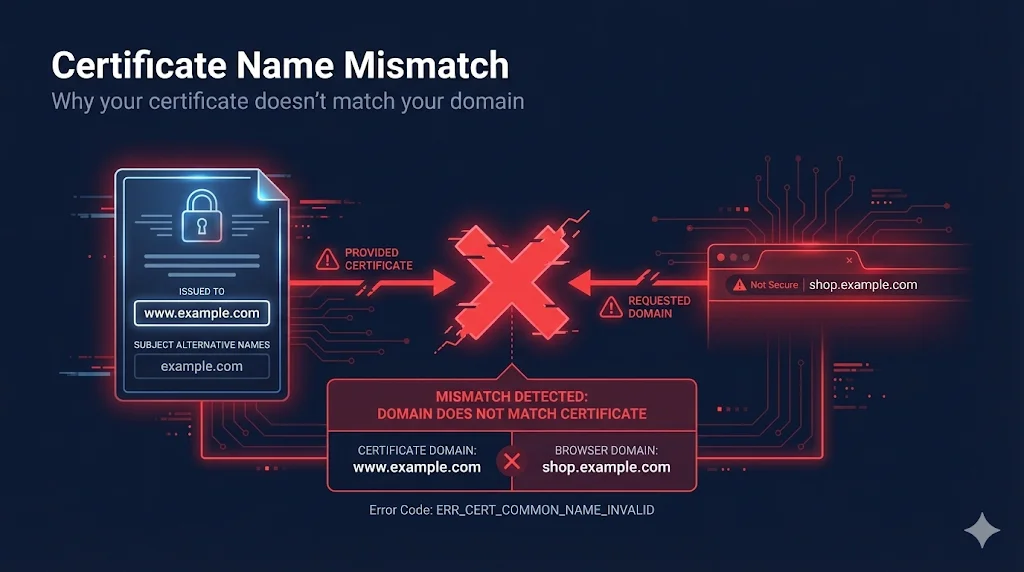
Name mismatch means the domain you're accessing isn't listed in the certificate's SAN (Subject Alternative Name) extension. The fix is usually to reissue the certificate with the correct domain(s) or access the right URL.
What Browsers Check
When you visit a website, your browser performs a critical security check:
This check protects you from man-in-the-middle attacks. If an attacker presents a valid certificate for attacker.com while you're trying to reachbank.com, the browser blocks it.
CN vs SAN Explained
Certificates have two places where domains can be listed:
Common Name (CN) - Legacy
- - Located in Subject field
- - Only holds one domain
- - Deprecated - Chrome ignores it since 2017
Subject Alternative Name (SAN) - Modern
- + Located in Extensions section
- + Can hold multiple domains
- + Required - what all browsers check
Certificate Structure
Certificate
├── Subject
│   └── CN = www.example.com    ← Legacy
└── Extensions
    └── Subject Alternative Name    ← Modern
        ├── DNS: example.com
        ├── DNS: www.example.com
        └── DNS: api.example.com
Wildcard Certificate Rules
Wildcard certificates (*.example.com) have specific matching rules that catch many people off guard:
| Rule | Matches | Doesn't Match |
|---|---|---|
| One level only | www.example.com | www.shop.example.com |
| Not apex domain | api.example.com | example.com |
| Must be leftmost | *.example.com | www.*.com |
| Can't be partial | *.example.com | w*.example.com |
Common Gotcha
If you have *.example.com, you still need example.com as a separate SAN to cover the apex domain!
Common Error Messages
| Browser/Tool | Error Message |
|---|---|
| Chrome | NET::ERR_CERT_COMMON_NAME_INVALID |
| Firefox | SSL_ERROR_BAD_CERT_DOMAIN |
| Safari | "Safari can't verify the identity of..." |
| Java | "Certificate doesn't match any of the subject alternative names" |
| curl | "SSL certificate problem" |
Diagnosing the Problem
- 1Check the exact URL you're accessing - is it www or non-www?
- 2View the certificate's SAN extension (see OpenSSL commands below)
- 3Is your domain listed? Check for typos, www vs non-www
- 4For wildcards: are you on a subdomain? Is it multi-level?
- 5Verify the correct certificate is installed on the server
How to Fix It
| Problem | Solution |
|---|---|
| Wrong domain on cert | Reissue with correct domain(s) |
| Missing www or apex | Add both to SAN |
| Wildcard not covering apex | Add apex as explicit SAN |
| Multi-level subdomain | Use explicit SAN, not wildcard |
| Wrong cert installed | Install correct cert for this domain |
| SNI misconfiguration | Check server SNI settings |
Prevention
- Always include both example.com AND www.example.com
- Use SAN extension, not just CN
- Test certificate before deploying
- Document which domains each cert covers
- Consider wildcard + apex combo for flexibility
OpenSSL Commands
Check SAN Extension
openssl s_client -connect example.com:443 </dev/null 2>/dev/null | \
  openssl x509 -noout -text | grep -A1 "Subject Alternative Name"
Check Common Name
openssl s_client -connect example.com:443 </dev/null 2>/dev/null | \
  openssl x509 -noout -subject
Related Resources
Subject Alternative Names
How to properly configure SANs to avoid mismatches
Certificate Error Decoder
Decode name mismatch error codes from browsers
Wildcard Dangers Guide
Why wildcard scope limits cause name mismatches
Certificate Anatomy
How CN and SAN fields are structured in certificates
Failure Scenarios Guide
All types of certificate failures explained