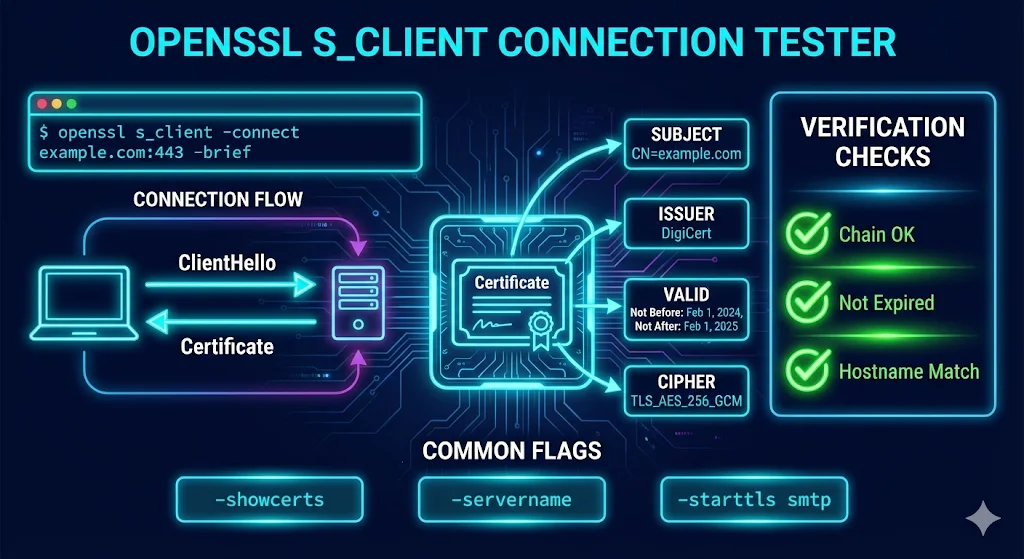
Quick answer
The command you want is:
openssl s_client -connect example.com:443 -servername example.com </dev/null
That </dev/null is not optional. Without it, openssl s_client holds the connection open waiting on stdin — which is why it looks like it hangs. Add -showcerts to dump the full chain the server actually sends, or pipe into openssl x509 -noout -dates to read expiry. Everything below is the rest of the flag set, ordered by how often you will actually reach for it.
Why openssl s_client looks like it hangs
It isn't hung. After the handshake completes, s_client becomes an interactive pipe — it is waiting for you to type something to send to the server. In a terminal you can press Ctrl+C or type Q and Enter. In a script, always redirect stdin:
# hangs forever in a cron job
openssl s_client -connect example.com:443

# returns immediately
openssl s_client -connect example.com:443 </dev/null
Add -brief (OpenSSL 1.1.0+) when you only want the handshake summary rather than the full certificate dump.
SNI: the flag that changes what you are actually testing
On any host serving multiple certificates from one IP — which is nearly every CDN, load balancer, and shared host — the Server Name Indication extension decides which certificate you get back. Get this wrong and you will debug the wrong certificate for an hour.
Behaviour depends on your OpenSSL version, and this trips people up:
- OpenSSL 1.1.1 and later: SNI is populated automatically from the
-connecthostname, provided it looks like a DNS name rather than an IP address. - OpenSSL 1.0.2 and earlier: SNI is not sent unless you pass
-servernameexplicitly. - Connecting by IP: no SNI is inferred. You must pass
-servernameyourself.
# test a specific vhost behind a load balancer by IP
openssl s_client -connect 203.0.113.10:443 -servername www.example.com </dev/null

# deliberately send no SNI, to see the default certificate
openssl s_client -connect example.com:443 -noservername </dev/null
Pass -servername explicitly even when your version would infer it. It costs nothing and it documents intent for whoever reads the runbook next.
Reading the certificate chain the server actually sends
-showcerts prints every certificate in the order the server presented them. This is the fastest way to catch a missing intermediate — the single most common TLS misconfiguration in production:
openssl s_client -connect example.com:443 -servername example.com -showcerts </dev/null
To get just the subject and issuer of each certificate in the chain:
openssl s_client -connect example.com:443 -servername example.com -showcerts </dev/null 2>/dev/null \
  | openssl crl2pkcs7 -nocrl -certfile /dev/stdin \
  | openssl pkcs7 -print_certs -noout
A correctly configured server sends the leaf plus every intermediate, but not the root — the client already has the root in its trust store. If -showcerts returns exactly one certificate for a publicly-trusted host, you have found your bug. Browsers often paper over this by caching intermediates from previous visits, which is why "it works in Chrome but breaks in curl/Java/Python" is such a common report. Our Certificate Anatomy demo covers what each field in those certificates means.
Checking expiry and dates
openssl s_client -connect example.com:443 -servername example.com </dev/null 2>/dev/null \
  | openssl x509 -noout -dates -subject -issuer
Output:
notBefore=Jun  3 00:00:00 2026 GMT
notAfter=Aug 12 23:59:59 2026 GMT
subject=CN = example.com
issuer=C = US, O = Let's Encrypt, CN = R11
As certificate lifetimes compress toward 47 days, this one-liner stops being an occasional debugging tool and becomes something you run on a schedule. The 47-day certificate timeline covers the dates that force the issue.
Verify return codes, decoded
s_client prints a Verify return code line at the end of its output. The common ones:
| Code | Meaning | Usual cause |
|---|---|---|
| 0 | ok | Chain validated against the local trust store. |
| 2 | unable to get issuer certificate | Issuer not present locally and not sent by the server. |
| 10 | certificate has expired | Check notAfter. Also check the client's clock. |
| 18 | self signed certificate | The leaf signs itself. Normal in dev, never in production. |
| 19 | self signed certificate in certificate chain | Private CA root not in your trust store — expected for internal PKI. |
| 20 | unable to get local issuer certificate | The issuer of some certificate in the chain isn't in your trust store. |
| 21 | unable to verify the first certificate | Missing intermediate. The server sent only the leaf. |
| 62 | hostname mismatch | SAN does not cover the name you requested. |
Codes 20 and 21 get confused constantly. 21 means the server didn't send enough — fix the server's chain file. 20 means your client is missing a CA — fix the trust store. Code 21 is the same root cause behind most of what Git SSL certificate errors covers.
Two behaviours that surprise people:
- s_client does not check the hostname by default. It will report code 0 on a certificate issued for a completely different domain. Pass
-verify_hostname example.comto actually check it. - s_client exits 0 even when verification fails, which silently breaks monitoring scripts. Pass
-verify_return_errorto make the exit code reflect reality.
# the form you actually want in a monitoring check
openssl s_client -connect example.com:443 -servername example.com \
  -verify_hostname example.com -verify_return_error </dev/null >/dev/null 2>&1 \
  && echo "OK" || echo "FAIL"
STARTTLS: testing mail, LDAP, and database ports
Ports that begin in plaintext and upgrade need -starttls, otherwise the handshake never happens:
openssl s_client -connect mail.example.com:587 -starttls smtp </dev/null
openssl s_client -connect mail.example.com:143 -starttls imap </dev/null
openssl s_client -connect ldap.example.com:389 -starttls ldap </dev/null
openssl s_client -connect db.example.com:5432 -starttls postgres </dev/null
Supported protocols include smtp, pop3, imap, ftp, xmpp, xmpp-server, irc, nntp, sieve, ldap, lmtp, postgres and mysql — but the available set depends on your build. The postgres and mysql handlers require OpenSSL 1.1.1 or later. Run openssl s_client -help to see what your binary supports rather than guessing.
Forcing a protocol version or cipher
To prove a server has genuinely disabled an old protocol — the evidence auditors ask for:
openssl s_client -connect example.com:443 -tls1_2 </dev/null
openssl s_client -connect example.com:443 -tls1_3 </dev/null
A refused connection is the passing result. Note that modern OpenSSL builds frequently compile out TLS 1.0 and 1.1 entirely, so a failure with -tls1 may mean your client cannot offer it rather than that the server declined it. Confirm with a build that still supports the protocol before writing it into a compliance report.
OCSP stapling and ALPN
# is the server stapling a revocation response?
openssl s_client -connect example.com:443 -status </dev/null 2>/dev/null | grep -A 5 "OCSP response"

# does it negotiate HTTP/2?
openssl s_client -connect example.com:443 -alpn h2 </dev/null 2>/dev/null | grep ALPN
"OCSP response: no response sent" means stapling is off — worth knowing, since the CA/Browser Forum has been steadily reducing reliance on OCSP in favour of shorter lifetimes and CRLs.
Post-quantum: what OpenSSL 3.5 changed
OpenSSL 3.5.0 (released 2025-04-08, an LTS release supported to 2030-04-08) ships the NIST post-quantum algorithms — ML-KEM, ML-DSA and SLH-DSA — and, more consequentially, changed the defaults. The default TLS key shares now offer X25519MLKEM768 alongside X25519, so two OpenSSL 3.5 endpoints negotiate a hybrid post-quantum key exchange with no configuration at all.
To check what a server will actually negotiate:
openssl s_client -connect example.com:443 -groups X25519MLKEM768 </dev/null 2>/dev/null \
  | grep "Negotiated TLS1.3 group"
If that returns X25519MLKEM768, the server is hybrid-PQC ready today. P256MLKEM768 is the alternative where P-256 is required for FIPS reasons. This is the cheapest post-quantum readiness check available, and it takes one command.
macOS gotcha: /usr/bin/openssl is not OpenSSL
macOS ships LibreSSL at /usr/bin/openssl. It answers to the same name, accepts most of the same flags, and then quietly lacks others — -groups behaviour, newer -starttls handlers, and the post-quantum options above are all absent or different. Check before debugging:
openssl version
# LibreSSL 3.3.6           ← LibreSSL, expect missing flags
# OpenSSL 3.5.0 8 Apr 2025 ← real OpenSSL

# use the Homebrew build instead
$(brew --prefix openssl)/bin/openssl version
For full setup on every platform, see the OpenSSL installation guide.
The monitoring one-liner
Days until expiry, suitable for dropping into a check script:
END=$(openssl s_client -connect example.com:443 -servername example.com </dev/null 2>/dev/null \
  | openssl x509 -noout -enddate | cut -d= -f2)
echo $(( ( $(date -d "$END" +%s) - $(date +%s) ) / 86400 )) days remaining
On macOS and BSD, date -d is not available — use date -j -f "%b %d %T %Y %Z" "$END" +%s instead. Under 47-day certificates this check needs to run daily, not weekly.