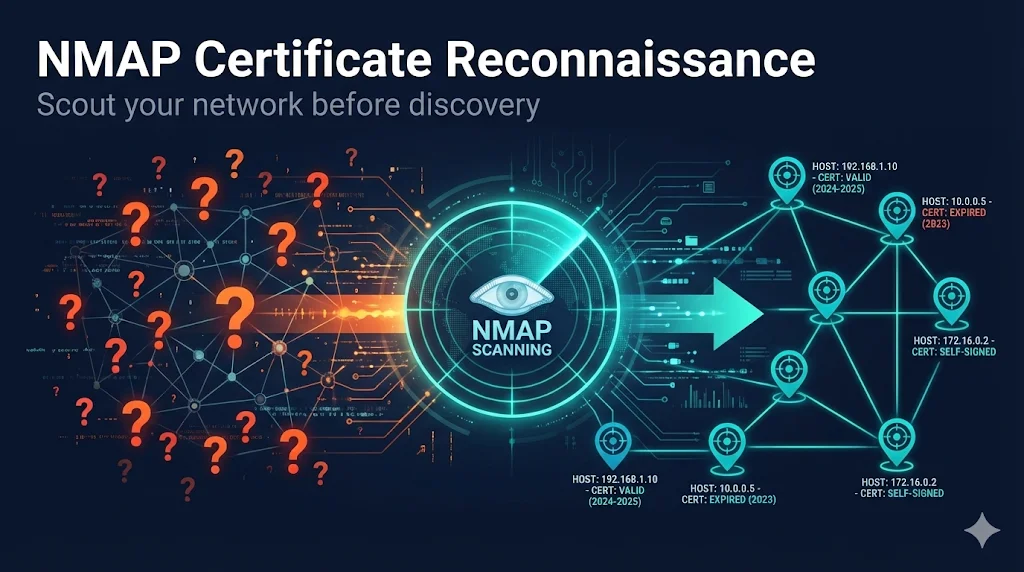
The Problem with Brute-Force Discovery
The Scenario
Why This Happens
What teams do: Point CLM platform at entire network range, scan all ports, hope for the best.
The Math Problem:
- • /16 network = 65,536 IP addresses
- • 10 ports per IP = 655,360 connection attempts
- • Many IPs don't exist (dead space)
- • Many hosts don't have certificates
- • Result: Massive waste of time scanning nothing
The Hidden Costs
| Impact | Description |
|---|---|
| Time | Jobs run overnight, still timeout |
| Coverage | Incomplete scans miss certificates |
| Resources | Discovery server overloaded |
| Confidence | "Did we find everything?" - Unknown |
The Reality:
Most organizations are scanning 65,000 IPs to find certificates on 3,000 hosts. That's 95% wasted effort.
The Three-Phase Approach
Why NMAP First?
| Aspect | Without NMAP | With NMAP |
|---|---|---|
| Scan targets | 65,536 IPs | 3,000 live hosts |
| Ports scanned | All 10 "just in case" | Only ports with certs |
| Duration | 12+ hours | 30-90 minutes |
| Completion | Timeouts common | 95%+ completion |
| Confidence | "Maybe we found them all?" | "We know what exists" |
The Key Insight:
NMAP is fast and lightweight. It can scan your entire network in minutes to find live hosts, then identify which ones have SSL/TLS services. Your CLM platform only needs to scan the hosts you KNOW have certificates.
Phase 1: NMAP Reconnaissance
Step 1A: Find Live Hosts (5-30 minutes)
Purpose: Identify which IP addresses have active hosts
# Ping sweep - find live hosts
nmap -sn 10.0.0.0/16 -oG live_hosts.txt

# Extract just the IPs
grep 'Up' live_hosts.txt | awk '{print $2}' > target_ips.txt
What this does:
- • Sends ICMP ping + TCP probes to each IP
- • Records which hosts respond
- • Creates list of live hosts only
Expected result: From 65,536 IPs → ~3,000-5,000 live hosts
Step 1B: Find SSL/TLS Services (10-45 minutes)
Purpose: Identify which live hosts have SSL/TLS ports open
# Scan common SSL/TLS ports on live hosts only
nmap -Pn -p 443,8443,465,587,993,995,636,3389,8080,8090 \
     -iL target_ips.txt -oA ssl_port_scan

# Extract hosts with open SSL ports
grep '/open/' ssl_port_scan.gnmap | cut -d' ' -f2 | sort -u > ssl_hosts.txt
Common SSL/TLS Ports:
Expected result: From ~3,000 live hosts → ~800-1,500 with SSL/TLS services
Step 1C: Verify Certificates Exist (15-60 minutes)
Purpose: Confirm certificates and capture details
# Get actual certificate information
nmap --script ssl-cert -p 443,8443 -iL ssl_hosts.txt -oA certificates
Information captured:
- • Subject (CN, O, OU)
- • Issuer
- • Validity dates
- • Serial number
- • SANs (Subject Alternative Names)
Step 1D: Generate Port-Specific Lists
Purpose: Create targeted lists for CLM discovery jobs
# Create separate file for each port
for PORT in 443 8443 8080 8090; do
  grep "$PORT/open" certificates.gnmap | cut -d' ' -f2 > hosts_port_$PORT.txt
done
Output files:
- • hosts_port_443.txt - Web servers
- • hosts_port_8443.txt - Alternate HTTPS
- • hosts_port_8080.txt - HTTP proxies/apps
Phase 2: Targeted CLM Discovery
Creating Focused Discovery Jobs
Instead of one massive job, create multiple targeted jobs:
| Job Name | IP Source | Ports | Duration |
|---|---|---|---|
| WebServers_443 | hosts_port_443.txt | 443 | 30 min |
| AppServers_8443 | hosts_port_8443.txt | 8443 | 15 min |
| MailServers | hosts_port_465.txt + 587 | 465, 587 | 10 min |
| LDAP_Servers | hosts_port_636.txt | 636 | 10 min |
Do
- • Create separate jobs per subnet or service type
- • Use ONLY ports where NMAP found certs
- • Schedule jobs to run sequentially
Don't
- • Add ports "just in case" - defeats the purpose
- • Scan IPs not in your NMAP results
- • Run all jobs at once (overloads server)
Phase 3: Ongoing Operations
Steady-State Schedule
| Frequency | Task | Tool |
|---|---|---|
| Nightly | Targeted discovery on known subnets | Venafi Network Discovery |
| Weekly | Placement job execution | Venafi Placement |
| Monthly | Full network reconnaissance | NMAP |
| Quarterly | Review and optimize jobs | Manual review |
Monthly NMAP Refresh
# Cron job: First Sunday of each month at 2 AM
0 2 1-7 * 0 /opt/cert_discovery/scripts/nmap_certificate_discovery.sh
Why monthly?
- • New servers get deployed
- • Services move to new ports
- • IP allocations change
- • Keeps discovery jobs accurate
When to Use Each Tool
Tool Comparison
| Tool | Speed | Coverage | Best For |
|---|---|---|---|
| NMAP | Fast | Network only | Reconnaissance |
| Venafi Network | Medium | Network only | Scheduled discovery |
| Scanafi | Fast | Network only | Ad-hoc, SNI hosts |
| Server Agent | Slow deploy | Complete | File system certs |
Common NMAP Commands
Quick Reference
# Host discovery (ping sweep)
nmap -sn 10.0.0.0/24 -oG hosts.txt

# Fast port scan
nmap -T4 -p 443,8443 10.0.0.0/24

# Certificate details
nmap --script ssl-cert -p 443 -iL targets.txt

# Skip ping (when ICMP blocked)
nmap -Pn -p 443 10.0.0.0/24

# Full certificate audit
nmap --script ssl-cert,ssl-enum-ciphers -p 443 target.com
Timing Options
| Flag | Name | Use Case |
|---|---|---|
| -T2 | Polite | IDS evasion, sensitive networks |
| -T3 | Normal | Default, balanced |
| -T4 | Aggressive | Fast scans, reliable networks |
| -T5 | Insane | Lab environments only |
Recommendation: Use -T3 for production, -T4 for internal networks
Output Formats
# All formats at once
nmap -oA results 10.0.0.0/24

# Creates:
# results.nmap   - Human readable
# results.gnmap  - Greppable (best for scripting)
# results.xml    - XML (best for tools)
Troubleshooting
NMAP Not Finding Hosts
Symptom: Ping sweep returns no hosts
Cause: ICMP blocked by firewall
Solutions:
# Option 1: TCP SYN ping on port 443
nmap -PS443 10.0.0.0/24

# Option 2: TCP ACK ping
nmap -PA443 10.0.0.0/24

# Option 3: Skip ping entirely (slower)
nmap -Pn -p 443 10.0.0.0/24
NMAP Finding Certs, Venafi Not
Symptom: NMAP shows certificate, Venafi discovery doesn't find it
Diagnostic:
# Test without SNI
openssl s_client -connect 10.5.10.15:443

# Test with SNI
openssl s_client -connect 10.5.10.15:443 -servername app.company.com
If second command works: Host requires SNI. Use Scanafi with --servername or configure SNI in Venafi.
Permission Denied Errors
Symptom: "You requested a scan type which requires root privileges"
# Option 1: Run as root
sudo nmap -sS -p 443 10.0.0.0/24

# Option 2: Use TCP connect scan (no root needed)
nmap -sT -p 443 10.0.0.0/24
Frequently Asked Questions
How long does NMAP reconnaissance take?
For a /16 network (65,536 IPs):
- • Host discovery: 15-30 minutes
- • Port scanning (live hosts only): 30-60 minutes
- • Certificate verification: 30-60 minutes
- • Total: 1-3 hours (vs 12+ hours for blind CLM scanning)
Will NMAP disrupt production systems?
No. NMAP's default scans are equivalent to normal network traffic. The ssl-cert script makes a standard TLS connection — identical to a user visiting a website. However, inform your security team (they may see it in logs), use -T3 or slower on sensitive networks, and avoid -T5 in production.
Do I need NMAP if I have Venafi?
You don't need it, but you should use it. NMAP reconnaissance is free, fast, and dramatically improves your Venafi discovery efficiency. Think of it as scouting before deploying your army.
What about certificates on non-standard ports?
NMAP can find them:
# Scan ALL ports (slow but thorough)
nmap -p- --script ssl-cert 10.5.10.15

# Scan common alternate ports
nmap -p 443,8443,8080,8090,9443,10443 --script ssl-cert target
Learn More
FixMyCert Venafi Series:
Related FixMyCert Content:
Related Resources
Certificate Discovery Explained
How enterprise platforms find every certificate in your environment — even the ones you forgot about.
OpenSSL s_client Guide
Master the essential tool for testing SSL/TLS connections and inspecting certificates.
OpenSSL Inspect Certificate
Learn how to examine certificate details, extensions, and chain information with OpenSSL.
Certificate Chain Builder
Build and validate complete certificate chains for proper trust verification.