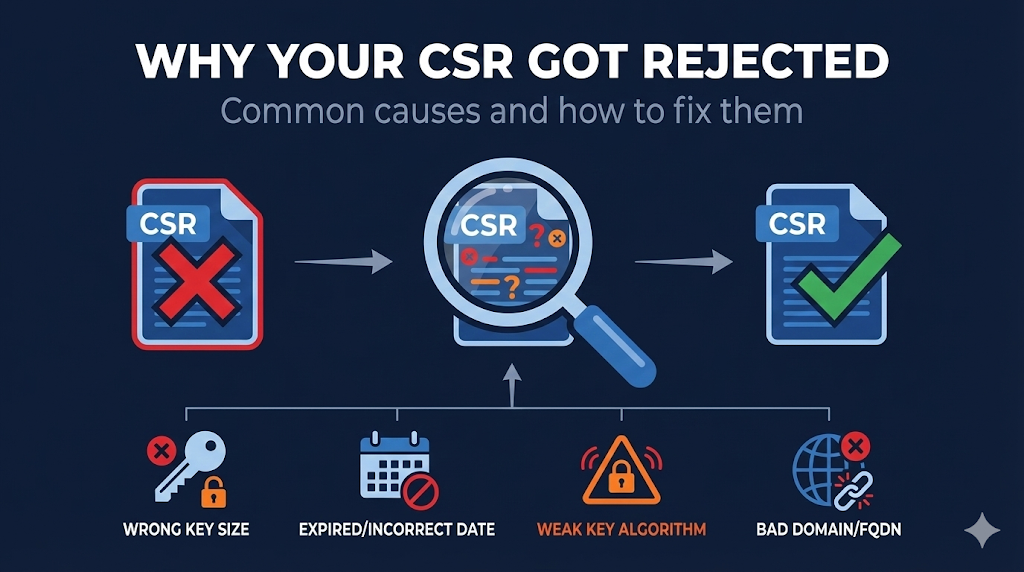
Already know PKI? Here's the quick reference:
- Key size - RSA minimum 2048-bit; ECC minimum P-256; RSA-1024 rejected everywhere
- Weak keys - Debian OpenSSL bug (2006-2008), known compromised keys, insufficient entropy
- Algorithm - SHA-1 CSRs rejected; use SHA-256 or SHA-384
- Domain issues - Internal names (.local, .internal), IPs in SAN without validation, wildcard restrictions
- Formatting - PEM encoding required, no corruption, proper BEGIN/END markers
- Rate limits - Let's Encrypt: 5 duplicate certificates per exact SAN set per 7 days; 50 certificates per registered domain per 7 days (renewals with identical SANs hit duplicate limit, not the 50/domain limit)
The Rejection Email Nobody Wants
You did everything right. Generated the key, created the CSR, submitted to your CA. Then you get the email:
"Your certificate signing request could not be processed. Please correct the following issues and resubmit."
Sometimes the error message is helpful. Often it's cryptic. And occasionally you get no explanation at all.
CSR rejections fall into predictable categories. Once you know what CAs are checking, you can fix the problem and resubmit - usually within minutes.
Some rejections require generating a completely new key pair. That's why understanding the requirements before you generate saves time.
Use our CSR Checker before submitting to catch issues early, or check the OpenSSL CSR Guide for generating a proper CSR from the start.
Key-Related Rejections
These are the most common rejections - and often require regenerating your key pair.
Rejection: Key Size Too Small
| Algorithm | Minimum Size | Recommended | Rejected |
|---|---|---|---|
| RSA | 2048-bit | 3072 or 4096-bit | 1024-bit, 512-bit |
| ECDSA | P-256 (256-bit) | P-384 | P-192, smaller curves |
| EdDSA | Ed25519 | Ed25519 | - |
Note on Ed25519: While Ed25519 is widely used and secure, not all public WebPKI CAs accept it yet. Check your CA's supported algorithms before generating an Ed25519 key.
Why it happens: You're using an old key, old documentation, or legacy scripts that specify outdated key sizes. RSA-1024 was deprecated years ago but still appears in legacy configs.
The fix:
# Generate proper RSA key
openssl genrsa -out private.key 3072

# Or generate ECC key (smaller, faster)
openssl ecparam -name prime256v1 -genkey -noout -out private.key
Check your existing key:
openssl rsa -in private.key -text -noout | grep "Private-Key"
# Should show: Private-Key: (2048 bit) or higher
Rejection: Weak Key Detected
CAs maintain databases of known-weak keys and will reject CSRs using them.
Sources of weak keys:
| Source | Problem | How to Check |
|---|---|---|
| Debian OpenSSL bug (2006-2008) | Only 32,767 possible keys per key size | debian-weak-keys lookup |
| Insufficient entropy | Generated on system with bad randomness | Can't detect after the fact |
| Known compromised | Key appeared in breach database | CA's internal checks |
| Factorable keys | Mathematical weakness discovered | Research databases and key-reuse datasets |
From 2006-2008, a bug in Debian's OpenSSL package caused the random number generator to be seeded with only the process ID. This meant only ~32,767 unique keys could ever be generated for each key size. If you're using a key generated on Debian, Ubuntu, or derivatives during this period, it's in a known-weak-keys database.
The fix: Generate a new key. There's no way to "strengthen" a weak key.
# Always generate fresh keys on a properly configured system
openssl genrsa -out private.key 3072

# Verify entropy source is working (Linux)
cat /proc/sys/kernel/random/entropy_avail
# Should be > 256
For more on secure key generation, see our OpenSSL Key Generation Guide.
Rejection: Key Previously Compromised
If your private key has ever been:
- • Posted publicly (GitHub, Pastebin, etc.)
- • Submitted to certificate transparency logs by mistake
- • Part of a breach disclosure
- • Reported to the CA as compromised
...the CA will reject any CSR using that key.
How CAs detect this:
- • Monitoring CT logs for private key submissions
- • Databases of known-compromised keys (from breaches)
- • Cross-referencing with previous revocation requests
The fix: Generate a completely new key pair. Never reuse a compromised key.
Rejection: Signature Algorithm Not Accepted
Your CSR is signed with an algorithm the CA won't accept.
| Algorithm | Status | Notes |
|---|---|---|
| SHA-256 | Accepted | Standard choice |
| SHA-384 | Accepted | Required for some ECC |
| SHA-512 | Usually accepted | Check CA requirements |
| SHA-1 | Rejected | Deprecated since 2017 |
| MD5 | Rejected | Broken, never use |
The fix:
# Generate CSR with SHA-256 (default in modern OpenSSL)
openssl req -new -key private.key -out request.csr -sha256

# Verify CSR signature algorithm
openssl req -in request.csr -text -noout | grep "Signature Algorithm"
Domain-Related Rejections
The second most common category. These don't require new keys - just a new CSR with correct domain information.
Rejection: Domain Validation Failed
The CA couldn't verify you control the domain(s) in your CSR.
Common causes:
- • DNS not propagated yet
- • HTTP challenge file not accessible
- • Email going to wrong address
- • CAA record blocking the CA
The fix: This isn't a CSR problem - it's a validation problem. See the Domain Validation Methods Guide.
Rejection: Internal/Non-Public Domain Names
CAs cannot issue publicly-trusted certificates for:
| Domain Type | Example | Why Rejected |
|---|---|---|
| .local TLD | server.local | Reserved for mDNS |
| .internal TLD | app.internal | Not publicly resolvable |
| .lan TLD | printer.lan | Home network convention |
| .corp / .home TLD | mail.corp | Reserved |
| Single-label names | SERVER1 | Not a valid FQDN |
| Reserved names | localhost, example.com | IANA reserved (example.com is reserved for documentation and cannot be used for production certificates) |
The fix:
- • Use a real domain you own and create subdomains
- • Use a private CA for internal systems
- • Consider split-horizon DNS
Example: Instead of app.internal, use app.internal.yourcompany.com where you own yourcompany.com.
For internal systems, see our Self-Signed Certificates Guide.
Rejection: IP Address Issues
IP addresses in certificates have specific requirements.
| Scenario | Status | Notes |
|---|---|---|
| Public IP in SAN | Allowed | Requires IP validation |
| Private IP (10.x, 192.168.x, 172.16-31.x) | Rejected | Can't be validated publicly |
| Loopback (127.0.0.1) | Rejected | Reserved |
| IPv6 link-local | Rejected | Not publicly routable |
| IP in Common Name (CN) only | Deprecated | Must be in SAN |
The fix: If you need certificates for private IPs, use a private CA. Public CAs can only issue for public IPs they can validate.
Rejection: Wildcard Restrictions
Wildcards have specific rules that cause rejections.
| Pattern | Status | Notes |
|---|---|---|
| *.example.com | Valid | Covers one label only (foo.example.com, not bar.foo.example.com) |
| *.*.example.com | Rejected | Multi-level wildcards not allowed |
| example.* | Rejected | Wildcard must be leftmost |
| sub.*.example.com | Rejected | Wildcard must be leftmost |
| *.com | Rejected | Can't wildcard public suffix |
| *.co.uk | Rejected | Can't wildcard public suffix |
A wildcard certificate for *.example.com does NOT cover example.com itself. You need both in your SAN if you want both.
The fix: Restructure your SAN list to comply with wildcard rules.
For more on wildcard risks, see our Wildcard Certificate Dangers Guide.
Rejection: CAA Record Blocking
Your domain has a CAA (Certificate Authority Authorization) record that doesn't include the CA you're using.
Check your CAA records:
dig example.com CAA +short
# Output might show: 0 issue "letsencrypt.org"
# This means ONLY Let's Encrypt can issue
The fix:
- • Add your CA to the CAA record
- • Or remove the CAA record (allows all CAs)
- • Or switch to a CA that's already authorized
# Example CAA record allowing multiple CAs
example.com. CAA 0 issue "digicert.com"
example.com. CAA 0 issue "letsencrypt.org"
example.com. CAA 0 issue "sectigo.com"
Learn more in our CAA Records Explained Guide.
Formatting and Encoding Rejections
These are frustrating because the CSR might be valid but the CA can't parse it.
Rejection: Invalid PEM Encoding
PEM format requires:
- • Header:
-----BEGIN CERTIFICATE REQUEST----- - • Base64-encoded content (64 characters per line)
- • Footer:
-----END CERTIFICATE REQUEST-----
Common corruption causes:
- • Copying from terminal added line breaks
- • Email client wrapped lines
- • Windows CRLF vs Unix LF issues
- • Editor added invisible characters (BOM)
The fix:
# Verify CSR format is valid
openssl req -in request.csr -text -noout

# If it fails, check for encoding issues
file request.csr
# Should show: "PEM certificate request"

# Convert if needed (DER to PEM)
openssl req -in request.der -inform DER -out request.pem -outform PEM
Pro tip: Always use cat to display CSR before submitting to verify no corruption: cat request.csr
Rejection: Mismatched Key and CSR
The CSR wasn't signed by the private key you're trying to use.
How this happens:
- • Generated new key but used old CSR
- • Copied wrong file
- • Key file overwritten between generation and CSR creation
The fix:
# Verify CSR and key match
openssl req -in request.csr -noout -pubkey > csr_pubkey.pem
openssl rsa -in private.key -pubout > key_pubkey.pem
diff csr_pubkey.pem key_pubkey.pem
# Should show no differences
If they don't match, generate a new CSR with the correct key:
openssl req -new -key private.key -out request.csr
Rejection: Invalid Characters in Fields
CSR fields have character restrictions.
| Field | Restrictions |
|---|---|
| Common Name | No wildcards except at leftmost position; valid FQDN |
| Organization | Printable ASCII; some CAs restrict special characters |
| Country | Exactly 2 letters (ISO 3166-1 alpha-2) |
| Valid email format | |
| All fields | No null bytes, no control characters |
The fix: Regenerate CSR with corrected field values.
# Check current CSR contents
openssl req -in request.csr -text -noout

# Look at Subject line for issues
CA-Specific Rejections
Each CA has policies beyond the baseline requirements.
Rejection: Rate Limited
You've requested too many certificates in a time window.
Let's Encrypt Limits:
| Limit | Value | Reset |
|---|---|---|
| Certificates per registered domain | 50 per 7 days | Rolling window |
| Duplicate certificates (exact same SAN set) | 5 per 7 days | Rolling window |
| Failed validations | 5/hour | Rolling 1 hour |
| New orders | 300/3 hours | Rolling 3 hours |
The fix: Wait for the rate limit to reset, or use staging environment for testing.
# Use Let's Encrypt staging for testing
certbot certonly --staging -d example.com
Rejection: High-Risk Domain
Some CAs flag certain domains for additional review or outright rejection:
- • Domains containing brand names (apple, google, microsoft)
- • Domains similar to financial institutions (phishy-looking finance domains like "secure-banklogin.com" often trigger extra review)
- • Previously-phished domains
- • Domains on blocklists
The fix: Contact CA support for manual review. Be prepared to explain the legitimate purpose of your domain and provide additional verification if requested. Alternatively, choose a different CA.
Rejection: Subscriber Agreement Not Accepted
Some CAs require explicit acceptance of updated terms before processing CSRs.
The fix: Log into CA portal and accept the updated subscriber agreement.
For more on what you're agreeing to, see our Certificate Subscriber Obligations Guide.
Validation-Specific Rejections
Rejection: Organization Validation Failed (OV/EV)
For OV and EV certificates, the CA couldn't verify your organization.
Common causes:
- • Organization name doesn't match business registry exactly
- • Address doesn't match official records
- • Phone number can't be verified
- • Organization too new (some CAs require operating history)
The fix: Ensure CSR organization details match exactly what's in public business registries (state filings, Dun & Bradstreet, etc.).
Rejection: Extended Validation Requirements Not Met (EV)
EV has the strictest requirements.
Common EV rejections:
- • Requester not listed as authorized certificate contact
- • Organization not in good standing with state
- • Domain not owned by the organization (registered to individual)
- • Required documentation not submitted
The fix: Work with your CA's validation team to understand exactly what documentation they need.
Learn more about certificate types in our DV vs OV vs EV Certificates Guide.
Prevention - Get It Right the First Time
Pre-Submission Checklist
- 1Key size - RSA 2048+ or ECC P-256+
- 2Fresh key - Generated on secure system with good entropy
- 3Algorithm - SHA-256 or higher for CSR signature
- 4Domain names - All publicly resolvable FQDNs
- 5Wildcard format - Only at leftmost position
- 6CAA records - Allow your CA
- 7PEM format - Valid encoding, no corruption
- 8CSR/key match - Verify before submitting
Use the CSR Checker Before Submitting
Our CSR Checker validates:
- • Key size and algorithm
- • CSR signature validity
- • Domain format issues
- • Field encoding problems
OpenSSL One-Liner for a Good CSR
This generates a 3072-bit RSA key and CSR with proper SAN entries in one command:
openssl req -new \
  -newkey rsa:3072 \
  -nodes \
  -keyout private.key \
  -out request.csr \
  -subj "/C=US/ST=State/L=City/O=Organization/CN=www.example.com" \
  -addext "subjectAltName=DNS:www.example.com,DNS:example.com" \
  -sha256
For more details, see our OpenSSL CSR Generation Guide.
FAQ
Can I reuse my private key after a CSR rejection?
Usually yes, unless the rejection was for a weak or compromised key. If the rejection was for domain issues, formatting, or CA policy, generate a new CSR with the same key.
How quickly can I resubmit after fixing the issue?
Immediately, unless you hit rate limits. Most CAs have no waiting period between submissions.
My CSR worked at one CA but was rejected at another. Why?
CAs can have different policies beyond the baseline requirements. Key size minimums, domain restrictions, and validation requirements can vary. Check the specific CA's documentation.
How do I know if my key is in a weak-keys database?
Use tools like openssl-vulnkey (Debian) or online weak key checkers to verify your keys before submitting a CSR.
Can I see exactly why my CSR was rejected?
Contact your CA's support. The rejection email often has minimal detail, but support can explain the specific validation failure.
Does generating a new CSR invalidate my old private key?
No. You can generate unlimited CSRs from the same private key. The key is only "used up" once a certificate is issued - and even then, you can renew with the same key (though rotation is better practice).
Quick Reference - Error Messages
Common error messages and what they mean:
| Error Message | Likely Cause | Fix |
|---|---|---|
| "Key size does not meet minimum requirements" | RSA < 2048 or ECC < P-256 | Generate larger key |
| "CSR signature verification failed" | Corrupted CSR or wrong key | Regenerate CSR |
| "Invalid domain name" | Internal TLD or invalid format | Use public FQDN |
| "CAA record forbids issuance" | CAA doesn't list CA | Update CAA records |
| "Rate limit exceeded" | Too many requests | Wait and retry |
| "Weak key detected" | Debian bug or low entropy | Generate new key |
| "Unable to validate domain" | DNS/HTTP challenge failed | Check validation setup |
| "Organization validation failed" | Name/address mismatch | Match official records |
| "High-risk domain" | Domain flagged for review | Contact CA support |
| "Public key already in use" | Key used for existing cert | Generate new key |
Key Takeaways
- 1Check key size first - RSA 2048+ or ECC P-256+ is mandatory everywhere
- 2Weak keys can't be fixed - You must generate a new key pair
- 3Internal domains are dead - .local, .internal won't work with public CAs
- 4Wildcards have rules - Leftmost label only, can't span public suffixes
- 5CAA can block you - Check DNS before submitting
- 6Use the CSR Checker - Validate before you submit to catch obvious issues