Watch: ARI Explained
What ARI Is and Why It Matters Now
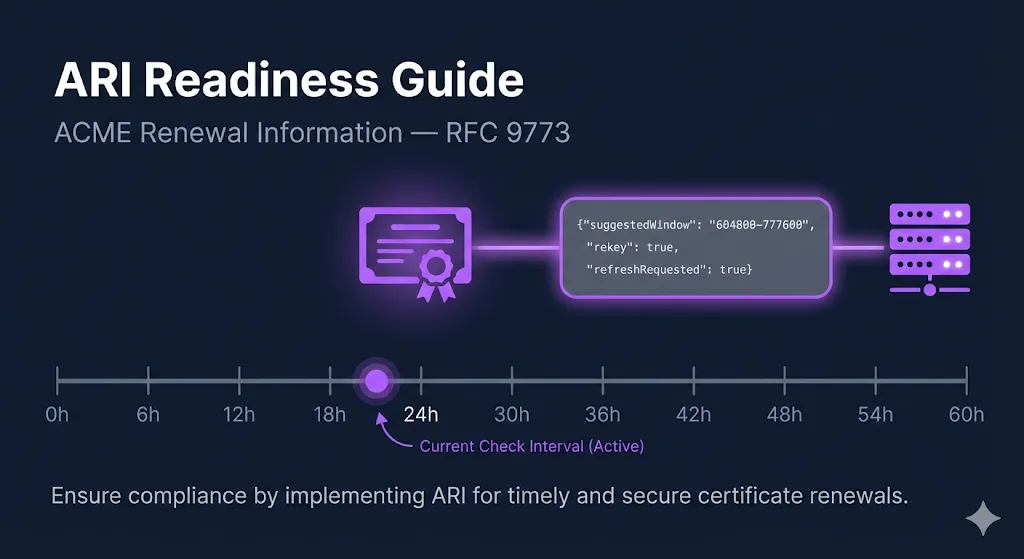
ACME Renewal Information (ARI) is a protocol extension defined in RFC 9773, published June 2025. It was developed by the Internet Security Research Group (ISRG) — the organization behind Let's Encrypt — after their 2020 mass revocation of 3 million certificates exposed a critical gap: there was no mechanism for a CA to tell ACME clients "renew this certificate now."
ARI serves two purposes:
- Normal operation: The CA provides optimized renewal timing to spread load across its infrastructure and avoid thundering-herd renewal patterns.
- Emergency signaling: During a compliance incident or misissuance event, the CA shortens the renewal window to signal that affected certificates must be replaced immediately.
For the full context on recent mass revocation events, read the companion blog post: 1.7 Million Certificates Revoked in 24 Hours.
How ARI Works: The Protocol Flow
ARI adds a renewalInfo endpoint to the ACME server. Here's the complete flow:
1Client Polls renewalInfo
Your ACME client constructs an ARI CertID from the certificate's Authority Key Identifier (AKI) and serial number, then sends an unauthenticated GET request:
GET {directory.renewalInfo}/{ARI-CertID}

# Example:
GET https://acme-v02.api.letsencrypt.org/get/ari-certID/
aYhDn6RYOi9LQPRvMi-nqWJ1kk00YFNXBgWv3YCb1nw.AIdlQyE2CA Responds with suggestedWindow
The CA returns a renewal window — start and end timestamps — indicating when the certificate should be renewed. The response also includes a Retry-After header telling the client how often to re-poll.
HTTP/1.1 200 OK
Content-Type: application/json
Retry-After: 21600

{
  "suggestedWindow": {
    "start": "2026-06-15T00:00:00Z",
    "end": "2026-06-16T00:00:00Z"
  }
}
Normal operation: The window is near the end of the certificate's lifetime (roughly ⅔ through for Let's Encrypt).
Emergency signal: The window start and end are in the past — this means renew immediately.
Retry-After: Let's Encrypt currently returns 21,600 seconds (6 hours). The RFC specifies that clients MUST re-poll after this interval.
3Client Selects a Random Time Within the Window
The RFC specifies selecting a uniformly random time within the suggestedWindow to spread renewal load across the CA's infrastructure and avoid thundering-herd spikes. If the window has already passed, skip the random selection and renew immediately.
4Client Sends New Order with replaces Field
When renewing in response to an ARI signal, the client includes a replaces field identifying which certificate is being replaced:
POST /acme/new-order
Content-Type: application/jose+json

{
  "identifiers": [
    { "type": "dns", "value": "example.com" }
  ],
  "replaces": "aYhDn6RYOi9LQPRvMi-nqWJ1kk00YFNXBgWv3YCb1nw.AIdlQyE"
}
This allows the CA to: revoke the predecessor immediately, waive rate limits that would otherwise block bulk renewals, and track replacement progress during mass revocation events.
The RFC says clients SHOULD include this field when a clear predecessor exists.
5Client Re-polls After Retry-After Interval
Even after successful renewal, the client continues polling for all managed certificates. The loop must run continuously — not just once after renewal.
ACME Client ARI Support
Not all ACME clients are created equal when it comes to ARI. Here's what actually works today:
| Client | ARI Polling | replaces | Execution Model | Emergency Response |
|---|---|---|---|---|
| Certbot (v4.1.0+) | Cron / systemd timer | |||
| Caddy | Long-lived service | |||
| Lego (v4.16+) | CLI / cron | |||
| win-acme | Scheduled task / service | |||
| Certify The Web | Windows service (2×/day) | |||
| acme.sh | Cron | |||
| cert-manager (K8s) | Controller |
For a full comparison across all criteria — not just ARI — see the ACME Client Selection Checklist.
Certbot (v4.1.0+)
The most widely deployed ACME client. ARI support landed in v4.1.0 (June 2025). It checks the renewalInfo endpoint during certbot renew and will trigger early renewal if the suggested window has passed.
Two limitations: (1) it only checks when the cron job or systemd timer fires — if that's every 12 hours or weekly, there's a gap between the CA's signal and your response; (2) it does not send the replaces field, so the CA can't revoke the predecessor immediately or waive rate limits.
Caddy
Runs as a long-lived process with full ARI support including the replaces field. This is the closest to the RFC's intended client architecture — it polls continuously rather than on a cron schedule, responding to emergency signals in near-real-time.
acme.sh — No ARI Support
The second most popular ACME client has no ARI support at all. GitHub issue #4944 has been open since January 2024 with no implementation timeline. During a mass revocation event, acme.sh users discover the problem through email or news, then manually run --renew --force for each affected certificate.
cert-manager (Kubernetes) — No ARI Support
Widely used in cloud-native environments. Feature request #6010 for ARI has been open since May 2023. No implementation yet. This is a significant gap — Kubernetes environments managing hundreds or thousands of certificates through cert-manager have no automated mass revocation response mechanism. Monitor the issue and plan for manual intervention.
Setting Up ARI in Your Environment
Certbot
- Verify your version (must be 4.1.0+):
certbot --version
- Check your systemd timer frequency:
systemctl list-timers certbot*
- The default Certbot systemd timer runs twice daily — this is adequate for most scenarios.
- If running via cron, verify your schedule:
crontab -l | grep certbot
- Recommendation: Increase to every 6 hours if managing critical services, matching Let's Encrypt's
Retry-Aftervalue:# Add to crontab:\n0 */6 * * * certbot renew --quiet
- No additional configuration is needed — ARI is enabled by default when the CA supports it.
Caddy
ARI is enabled by default. No configuration needed. Caddy manages certificates automatically when you configure HTTPS. Verify your version with:
caddy version
acme.sh Users — Migration Path
- Short term: Increase cron frequency to every 6 hours and monitor your CA's incident channels manually.
- Medium term: Evaluate migrating critical certificates to a client with ARI support (Certbot, Caddy, or Lego).
- The
--renew --forcecommand is your emergency fallback, but it requires manual identification of affected certificates.
cert-manager (Kubernetes) — Workaround
- No native ARI support yet — monitor cert-manager issue #6010.
- Workaround: Monitor Let's Encrypt community forum and CA incident channels; use
kubectl cert-manager renewto force renewal of specific Certificate resources:# Force renew a specific certificate:\nkubectl cert-manager renew my-certificate -n my-namespace\n\n# Force renew all certificates in a namespace:\nkubectl cert-manager renew --all -n my-namespace
- For critical workloads, consider running a sidecar or CronJob that polls the ARI endpoint externally and triggers cert-manager renewals via the API.
Testing Your ARI Readiness
Run through these five verification steps to confirm your environment is ready:
1Check That ARI Is Being Used
For Certbot, run a dry run and look for ARI-related log messages showing renewal timing based on ARI vs. static expiry threshold:
certbot renew --dry-run -v 2>&1 | grep -i 'ari\|renewal\|window'
2Verify Your Polling Interval
Match or exceed the CA's Retry-After value. For Let's Encrypt, that's 6 hours. If your certbot renew cron runs less frequently, you have a gap.
3Simulate an Emergency Renewal
Force-renew a non-critical certificate and time the end-to-end process:
time certbot renew --force-renewal --cert-name your-domain.com
From command execution to new certificate deployed — how long? If that number is measured in hours for a single certificate, multiply by your total certificate count.
4Check Certificate Deployment Automation
ARI handles the renewal trigger, but does your post-renewal hook reload the web server? Does your load balancer pick up the new cert automatically? Check your deploy hooks:
# Certbot post-renewal hooks:\nls /etc/letsencrypt/renewal-hooks/deploy/\n\n# Or check renewal config:\ngrep -r 'post_hook\\|deploy_hook' /etc/letsencrypt/renewal/
5Monitor Your CA's Incident Channels
ARI is the signal mechanism. Your CA's community forum and Bugzilla are the context mechanism. You need both. Subscribe to the Let's Encrypt community forum, Mozilla Bugzilla CA compliance, and your commercial CA's status page.
ARI + Shorter Lifetimes = Non-Negotiable Automation
As certificate lifetimes drop to 47 days (46 actual issued) under SC-081v3, the renewal cycle itself becomes the dominant operational concern. ARI doesn't just protect against mass revocation — it optimizes normal renewal timing and distributes load across the CA's infrastructure.
The clients and configurations you set up now for ARI readiness are the same infrastructure that will handle 47-day certificates smoothly. The teams that treat ARI as optional today will be the ones scrambling when shorter lifetimes are mandatory.
Next Steps
47-Day Readiness Audit
Assess your full automation maturity for shorter certificate lifetimes.
The PKI Automation Gap
Where certificate automation actually breaks across the 5-stage pipeline.
ACME Protocol Guide
How ACME works end-to-end — the protocol that ARI extends.
ACME Interactive Demo
Try the full ACME certificate issuance flow in your browser.
ACME Client Selection Checklist
Full decision framework for choosing or re-evaluating your ACME client.