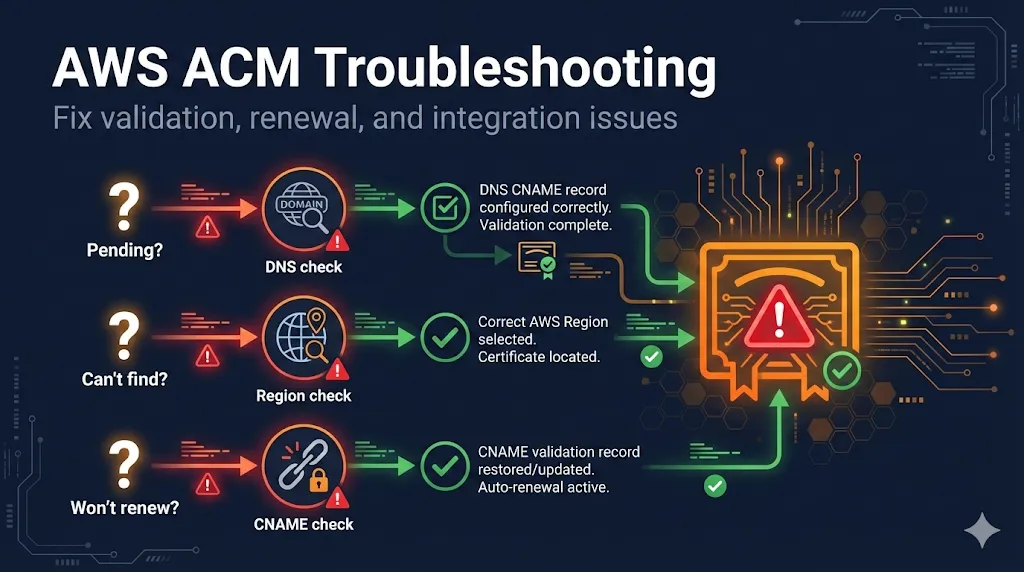
AWS ACM certificate issues are frustrating because they're often silent failures. This guide helps you diagnose and fix the most common problems fast. For the full deep dive on ACM, see the AWS ACM Complete Guide.
Certificate Stuck on "Pending Validation"
This is the #1 ACM issue. Run these four checks in order:
1Check: CNAME record exists
# Replace with your actual validation string from ACM console
dig _abc123xyz.yourdomain.com CNAME +short
Expected: Returns a long string ending in .acm-validations.aws.
If empty: Add the CNAME from ACM console. Make sure you're adding it to the correct DNS provider.
2Check: Correct DNS provider
# Find where your DNS is actually hosted
dig yourdomain.com NS +short
Common mistake: Adding CNAME to your registrar (GoDaddy, Namecheap) when DNS is actually hosted elsewhere (Cloudflare, Route53). Add the record where NS points.
Example: Domain registered at GoDaddy, but nameservers point to Cloudflare. The CNAME must be added in Cloudflare's DNS dashboard, not GoDaddy's.
3Check: CAA records aren't blocking Amazon
dig yourdomain.com CAA +short
OK if: Empty result, OR includes 0 issue "amazon.com"
Problem if: Has CAA records but amazon.com isn't listed. Add: 0 issue "amazon.com"
4Check: Trailing dot issues
Some DNS providers want a trailing dot on the CNAME target, others don't. AWS provides: _xyz.acm-validations.aws.
- •Route53: Include the trailing dot (AWS format)
- •Cloudflare, GoDaddy, Namecheap: Remove the trailing dot
- •Not working? Try the opposite of what you have—some providers auto-add the dot
Validation Timed Out (72 Hours)
Bad news: You can't retry. ACM validation requests expire after 72 hours and cannot be renewed or retried.
What to do:
- 1Delete the failed certificate request
- 2Fix the underlying issue (use the checks above)
- 3Request a new certificate
# Delete failed certificate
aws acm delete-certificate \
  --certificate-arn arn:aws:acm:us-east-1:123456789:certificate/failed-cert-id \
  --region us-east-1

# Request new certificate
aws acm request-certificate \
  --domain-name yourdomain.com \
  --validation-method DNS \
  --region us-east-1
CloudFront Can't Find My Certificate
CloudFront ONLY sees certificates in us-east-1 (N. Virginia)
This is the most common reason your cert doesn't appear in the CloudFront dropdown. It's an AWS architectural requirement, not a bug.
Diagnose:
# Check if certificate exists in us-east-1
aws acm list-certificates --region us-east-1

# If your cert isn't listed, check where it actually is:
aws acm list-certificates --region eu-west-1  # or wherever you created it
Fix:
# Request certificate in the correct region
aws acm request-certificate \
  --domain-name yourdomain.com \
  --subject-alternative-names "*.yourdomain.com" \
  --validation-method DNS \
  --region us-east-1  # Required for CloudFront!
Tip: You can reuse the same DNS validation CNAME for the new certificate if the domain is identical.
Certificate Won't Renew
DNS-Validated Certs
Most common cause: Someone deleted the CNAME validation record.
Fix: Add the CNAME back. You can find it in the ACM console under "Domains" for that certificate.
Email-Validated Certs
Cause: Renewal emails went to spam, or nobody clicked the link in time.
Fix: Request a new certificate using DNS validation instead. Email validation is deprecated for new certs anyway.
Check Renewal Status:
aws acm describe-certificate \
  --certificate-arn arn:aws:acm:... \
  --query 'Certificate.RenewalSummary'
Prevention: Set up CloudWatch alarms for DaysToExpiry < 30 to catch renewal failures before they break production.
Can't Delete Certificate
ACM won't let you delete a certificate that's currently attached to an AWS resource.
Find what's using it:
aws acm describe-certificate \
  --certificate-arn arn:aws:acm:us-east-1:123456789:certificate/abc-123 \
  --query 'Certificate.InUseBy'
Common culprits:
- Application Load Balancer (ALB)
- CloudFront Distribution
- API Gateway
- Elastic Beanstalk
- Network Load Balancer (NLB)
- App Runner
To delete: First detach the certificate from all resources (switch to a different cert or remove the listener), then delete the certificate.
CAA Error Blocking Issuance
CAA (Certificate Authority Authorization) records tell CAs who's allowed to issue certificates for your domain. If you have CAA records but Amazon isn't listed, ACM can't issue certificates.
Diagnose:
dig yourdomain.com CAA +short
Fix:
Add this CAA record to your DNS:
yourdomain.com. CAA 0 issue "amazon.com"
Note: CAA records are inherited by subdomains. If you only have CAA on example.com, it applies to *.example.com too. Learn more in our CAA Records Guide.
Quick Diagnostic Commands
Copy this cheatsheet for quick ACM troubleshooting:
# Check if CNAME validation record exists
dig _[validation-string].yourdomain.com CNAME +short

# Check CAA records
dig yourdomain.com CAA +short

# Check where DNS is hosted
dig yourdomain.com NS +short

# List all certs in us-east-1 (for CloudFront)
aws acm list-certificates --region us-east-1

# Get certificate details including what's using it
aws acm describe-certificate \
  --certificate-arn [ARN] \
  --region [REGION]

# Check certificate status
aws acm describe-certificate \
  --certificate-arn [ARN] \
  --query 'Certificate.Status'

# Check renewal status
aws acm describe-certificate \
  --certificate-arn [ARN] \
  --query 'Certificate.RenewalSummary'

# Find what's using a certificate
aws acm describe-certificate \
  --certificate-arn [ARN] \
  --query 'Certificate.InUseBy'

# Delete a certificate (must not be in use)
aws acm delete-certificate \
  --certificate-arn [ARN] \
  --region [REGION]
Still Stuck?
- AWS Service Health Dashboard
Check if ACM is experiencing issues in your region
- Open an AWS Support ticket
For persistent issues, AWS Support can check ACM internals you can't see
- Try a different subdomain
If validation keeps failing for www.example.com, try example.com with *.example.com as a SAN
Frequently Asked Questions
Related Resources
AWS ACM Complete Guide
Full guide covering ACM vs alternatives, validation methods, and auto-renewal.
CloudFront SSL Certificate Errors
Troubleshoot ACM and origin certificate issues with CloudFront distributions.
Cloudflare Error 526
Fix Invalid SSL Certificate errors when using Cloudflare Full (Strict) mode.
Chain Builder & Troubleshooting
Build complete certificate chains and diagnose chain validation failures.
How TLS Works
Understand the TLS handshake and certificate validation process.
Certificate File Formats
PEM, DER, PKCS#12 - understand and convert between certificate formats.